55
Taking Photographs—White Balance
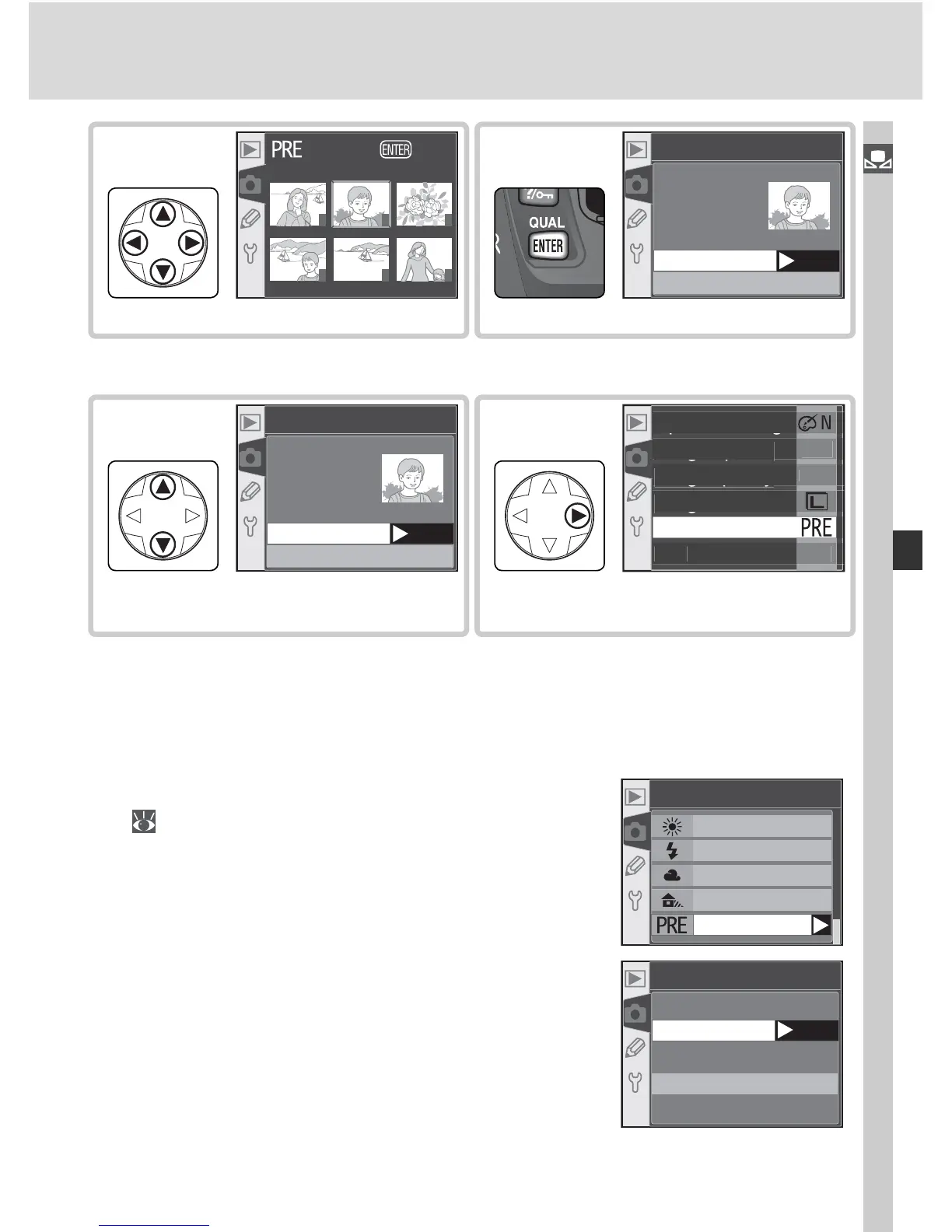
† Images displayed may include those created by other cameras, but only photographs
created with D70 can be used as source for preset white balance.
Select photograph.
This image
Select image
Preset
Set
10
Highlight photograph.
†
1 2 3
4 5 6
OK
9
Highlight This image.
This image
Select image
Preset
Set
11
Set preset white balance to value for
selected photograph.
‡
2
12
‡To select different photo, repeat steps 5–12.
Using the Current Value for Preset White Balance
To set white balance to the value currently selected for preset white bal-
ance:
1
Highlight Preset in the white balance menu
( 49) and press the multi selector to the
right.
White bal.
Dir. sunlight
Flash
Cloudy
Shade
Preset
2
High light Measure and press the multi se-
lec tor to the right to set white balance to the
current value for preset white balance and
return to the shooting menu.
Preset
Set
Measure
Use photo



 To Next Page