EasyManua.ls Logo

Nikon D70 - Page 71

Nikon D70
218 pages
Print Icon
To Next Page IconTo Next Page
To Previous Page IconTo Previous Page
Loading...
61
Taking Photographs—Optimizing Images
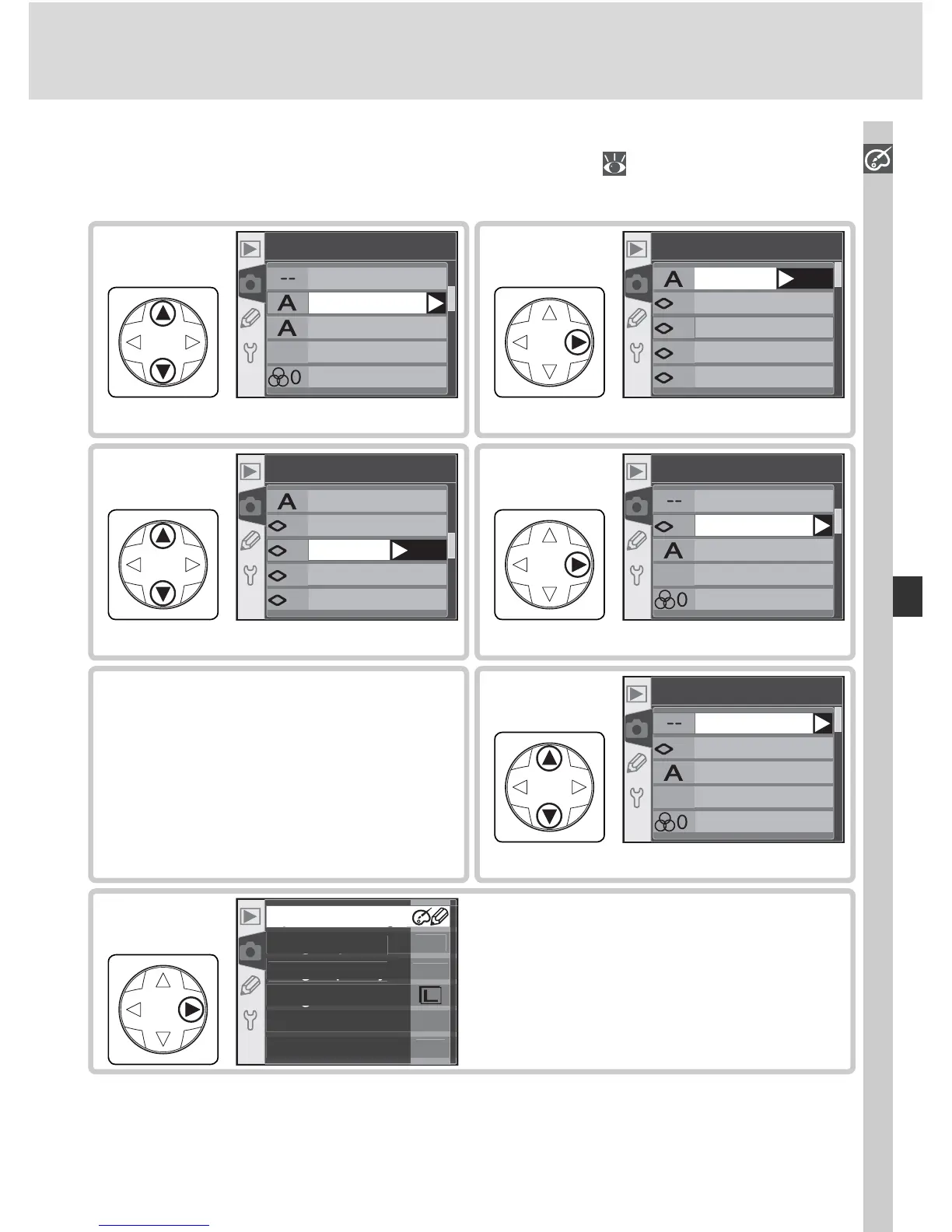
Highlight option.
+
1
-
1
-
2
0
Sharpening
Auto
Normal
Low
Medium low
Medium high
OK
3
Make selection.
I
-
2
Custom
Done
Sharpening
Ton e comp.
Color mode
Saturation
4
Highlight optimization option.
I
Custom
Done
Sharpening
Ton e comp.
Color mode
Saturation
1
Display sub-menu.
+
1
-
1
-
2
0
Sharpening
Auto
Normal
Low
Medium low
Medium high
OK
2
Choosing Custom Image Optimization Options
Choosing Custom in the Optimize image menu ( 57) displays the menu
shown in Step 1.
Repeat steps 1–4 to adjust
other options.
5
Highlight Done.
I
-
2
Custom
Done
Sharpening
Ton e comp.
Color mode
Saturation
6
Return to shooting menu.
O
F
F
2
00
A
N
O
R
M
g
O
p
timize ima
ge
pg
gp
Lon
g
ex
p
. N
R
gq y
Ima
g
e
q
ualit
y
g
Ima
g
e siz
e
Whit
e
ba
l
.
I
SO
7

Table of Contents

Other manuals for Nikon D70

Related product manuals