Chapter 6 Operation Method
3 Installing the DS-U2 Device Driver
- 21 -
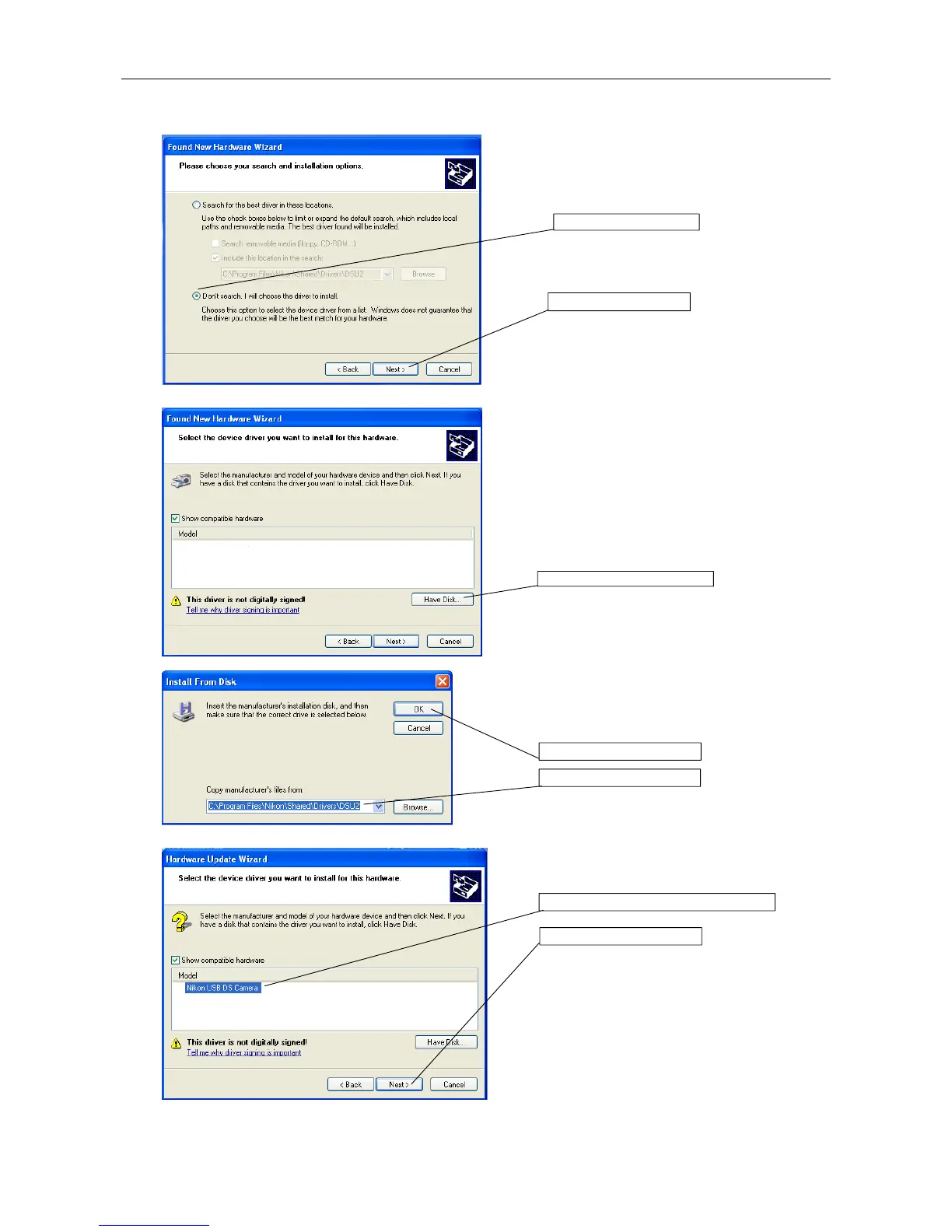
Click the "Don't detect; I will select it from a list." And
then, click Next.
Click the Have Disk button.
Specify "C:\Program Files\Nikon\Shared\Drivers
\DS-U2" for the "Copy manufacturer's files from" entry.
Click the OK button.
Select the "Nikon USB DS Camera." And then, click
the Next button. The driver will be installed.
1. Click here.
Click the Have Disk button.
2. Clisk the OK button.
1. Specify the folder.
1. Select the Nikon USB DS Camera.
2. Click the Next button.
2. Click here.











 To Next Page