Chapter 6 Operation Method
3 Installing the DS-U2 Device Driver
- 22 -
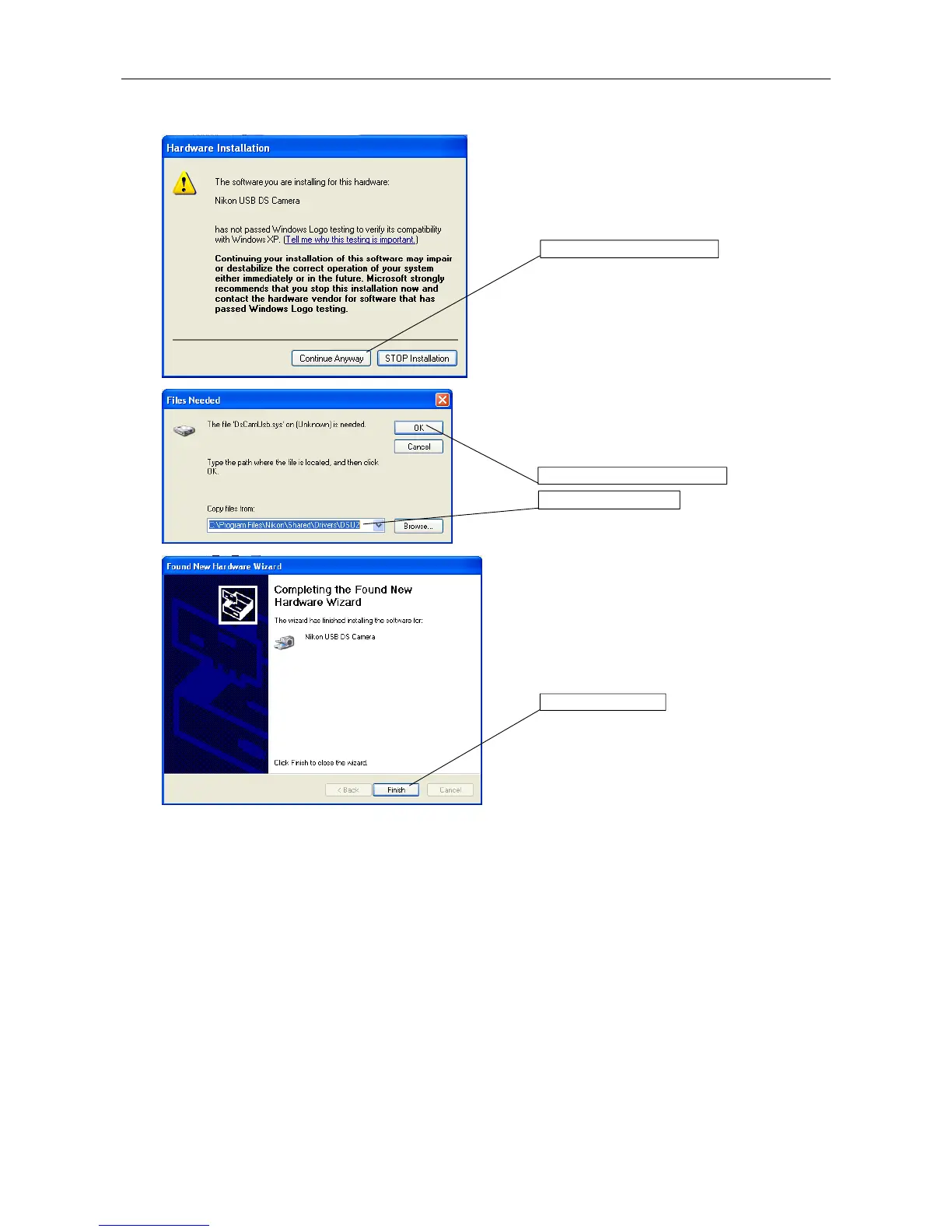
Click the Continue button.
Specify "C:\Program Files\Nikon\Shared\Drivers
\DS-U2" for the Copy From box.
And then, click the OK button.
Click the Finish button.
1. Specify the folder.
2. Click the OK button.
Click the Continue button.
Click here.











 To Next Page