Chapter 6 Operation Method
3 Installing the DS-U2 Device Driver
- 23 -
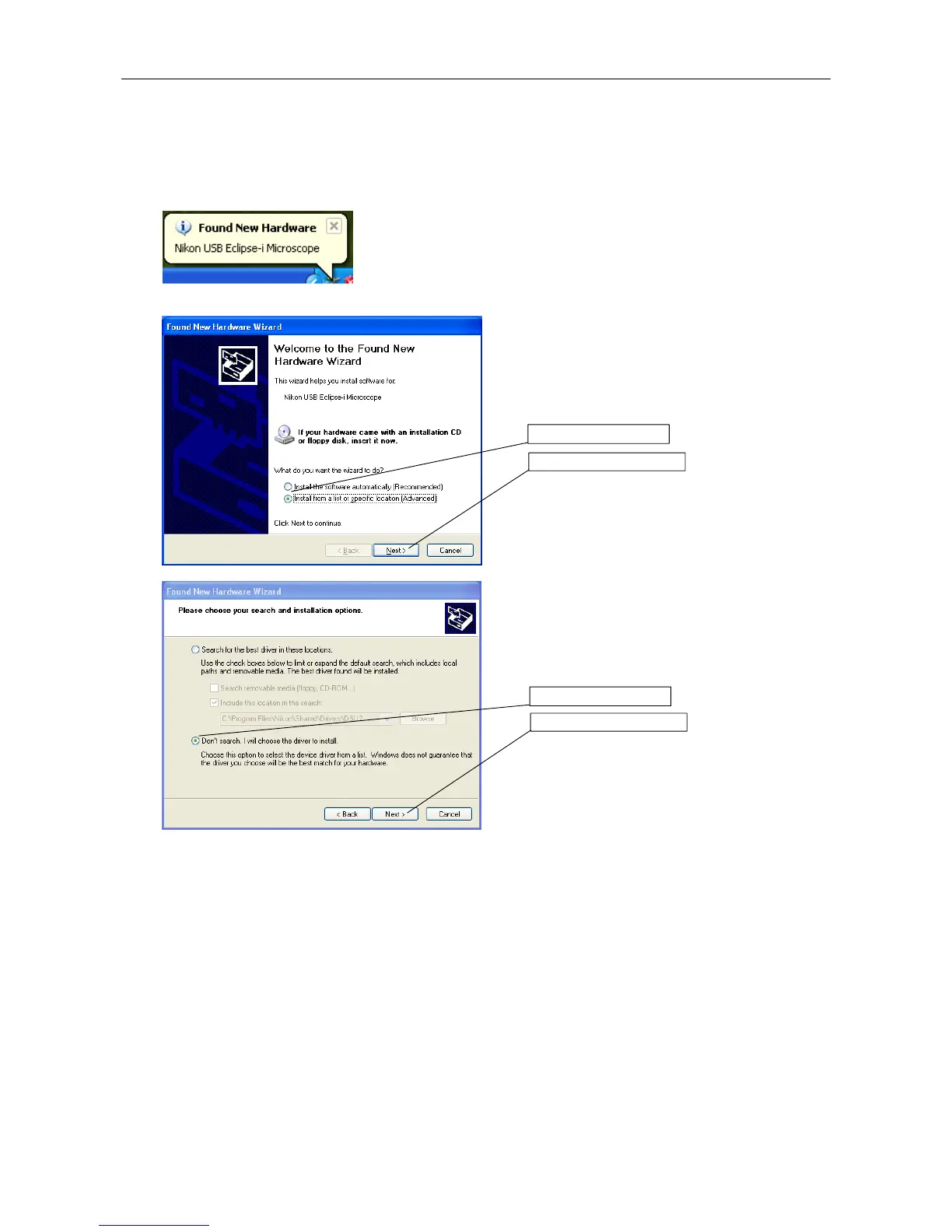
(3) Install the ECLIPSE-i series driver.
Next, drivers for ECLIPSE-i series is installed automatically.
The PC automatically searches for new hardware.
"Hardware Detection Wizard" dialog box
Click the "Install the hardware that I manually select
from a list (Advanced)." And then, click Next.
Click the "Don't detect; I will select it from a list." And
then, click Next.
1. Click here.
2. Click Next.
1. Click here.
2. Click Next.











 To Next Page