Chapter 6 Operation Method
3 Installing the DS-U2 Device Driver
- 24 -
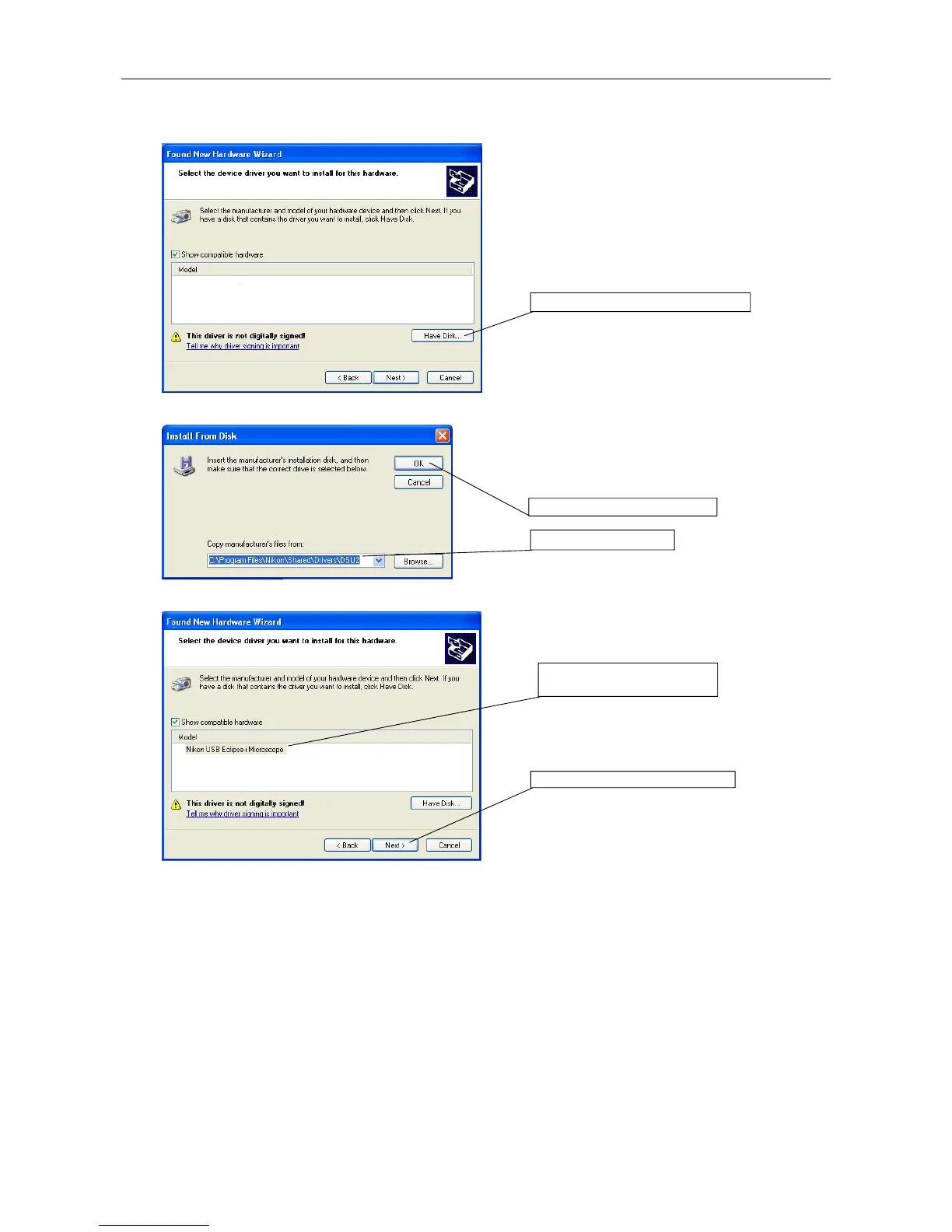
Click the Have Disk button.
Screen for specifying file location
Specify "C:\Program Files\Nikon\Shared\Drivers
\DS-U2" for the "Copy manufacturer's files from" entry.
Click the OK button.
Screen while installing
Select the "Nikon USB Eclipse-i Microscope." And
then, click the Next button. The driver will be
installed.
1. Specify the folder.
2. Click the OK button.
1. Select the Nikon USB
Eclipse-i Microscope.
2. Click the Next button.
Click the Have Disc button.











 To Next Page