EasyManua.ls Logo

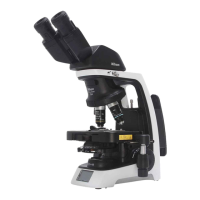
Nikon ECLIPSE Si - User Manual

Nikon ECLIPSE Si
124 pages
Print Icon
To Next Page IconTo Next Page
Loading...
M795E 20.11.NC.1
Upright Microscope
Instructions

Table of Contents

Questions and Answers

  • B
    Beth GarciaSep 2, 2025
    How to fix revolving nosepiece is not in click-stop position on Nikon ECLIPSE Si?
    • P
      pdillonSep 2, 2025
      If the revolving nosepiece on your Nikon Microscope is not in the click-stop position, revolve it to the click-stop position (swing the objective correctly into the optical path).
  • L
    Larry WelchSep 1, 2025
    What type of immersion oil should I use to prevent fluorescence with Nikon Microscope?
    • J
      jameshansonSep 1, 2025
      If the immersion oil on your Nikon Microscope is emitting fluorescence, use a low-fluorescence oil (Nikon immersion oil) specified by Nikon.
  • A
    Alan NobleAug 31, 2025
    Why does illumination turn off when left idle on Nikon Microscope?
    • M
      Michael KingAug 31, 2025
      If the illumination on your Nikon Microscope turns off when left idle, operate controls such as the illumination on/off button, the brightness control knob, and the nosepiece. To prevent illumination from turning off automatically, turn off ECO mode. Also, you can change how long to wait before entering sleep mode in the settings.
  • D
    david47Aug 30, 2025
    How to stop brightness of illumination changing when objectives are switched on Nikon ECLIPSE Si?
    • J
      Jackson GrahamAug 30, 2025
      To prevent the brightness of the illumination from changing automatically when objectives are switched on your Nikon Microscope, turn off light intensity management.
  • L
    longdanielAug 29, 2025
    How to fix binocular images that are not integrated on Nikon Microscope?
    • R
      Roberto MorrisonAug 29, 2025
      To resolve binocular images that are not integrated on your Nikon Microscope: * Ensure the interpupillary distance is correctly adjusted. * Make necessary adjustments.
  • C
    Christina WilliamsAug 28, 2025
    How to adjust brightness control knob for image not bright enough on Nikon Microscope?
    • L
      lyonsjenniferAug 28, 2025
      If the setting of the brightness control knob makes the image from your Nikon Microscope not bright enough, adjust the brightness by rotating the brightness control knob.
  • S
    Sheila LeeAug 27, 2025
    How to adjust brightness control knob for image too bright on Nikon ECLIPSE Si Microscope?
    • C
      Christina HaynesAug 27, 2025
      If the setting of the brightness control knob makes the image from your Nikon Microscope too bright, adjust the brightness by rotating the brightness control knob.
  • R
    Roger MilesAug 26, 2025
    How to fix field diaphragm closed too far for image not bright enough on Nikon ECLIPSE Si?
    • G
      greenejuanAug 27, 2025
      If your Nikon Microscope image is not bright enough and the field diaphragm is closed too far, you should open it properly.
  • A
    Andrew SchneiderAug 25, 2025
    How to fix aperture diaphragm closed too far for image not bright enough on Nikon ECLIPSE Si?
    • G
      Gregory MillerAug 26, 2025
      If your Nikon Microscope image is not bright enough and the aperture diaphragm is closed too far, you should open it properly.
  • M
    Michael JohnsonAug 25, 2025
    What to do if the fluorescence image is dark on my Nikon Microscope?
    • D
      Douglas GrantAug 25, 2025
      To brighten a dark fluorescence image on your Nikon Microscope, adjust the illumination by rotating the brightness control knob close to the maximum position.

Summary

Safety Precautions

Meaning of Symbols Used on the Product

Explains symbols on the product for user safety.

WARNING and CAUTION Symbols

Defines WARNING and CAUTION symbols used in the manual.

Chapter 2 Microscopy Techniques

2.1 Bright-field Microscopy

Describes the basic observation method using diascopic illumination.

2.2 Phase Contrast Microscopy

Explains the technique for observing unstained, colorless specimens.

2.3 Simple Polarizing Microscopy

Details the method for measuring polarization and refraction states.

2.4 Diascopic Fluorescence Microscopy

Outlines the procedure for observing specimens stained with fluorescent dye.

2.5 Dark-field Microscopy

Describes the technique for observing unstained specimens on a dark background.

Chapter 3 Detailed Explanation

Chapter 4 Assembly

4.1 Configuration Diagrams

Visual representations of how different parts connect for various configurations.

4.2.1 Basic Configuration (for Bright-field Microscopy)

Step-by-step assembly for the primary bright-field microscopy setup.

4.2.2 Configuration for Phase Contrast Microscopy

Instructions for setting up the microscope for phase contrast observation.

Chapter 5 Troubleshooting

5.1 Problems With the Microscope Image

Lists common issues related to image quality and appearance.

5.2 Problems in Operation

Covers operational difficulties such as focusing and image integration.

5.3 Electrical

Addresses issues related to illumination and power supply.

Chapter 7 Specifications

Nikon ECLIPSE Si Specifications

General IconGeneral
BrandNikon
ModelECLIPSE Si
CategoryMicroscope
LanguageEnglish

Related product manuals