EasyManua.ls Logo

Nikon ECLIPSE MA200 - User Manual

Nikon ECLIPSE MA200
107 pages
Print Icon
To Next Page IconTo Next Page
Loading...
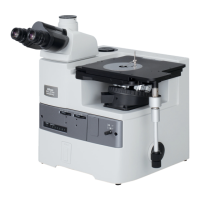
Inverted Metallurgical Microscope
ECLIPSE MA200
Instructions
M498E 08.10.NF.1 (2/4)

Table of Contents

Questions and Answers

  • D
    Diana KingAug 16, 2025
    How to increase brightness on Nikon Microscope?
    • B
      bonniemillerAug 16, 2025
      If your Nikon Microscope's brightness is insufficient, start by adjusting the brightness using the brightness control dial. Ensure that no ND filter is in the optical path. Open the aperture diaphragm to a suitable size. If performing bright-field microscopy, remove any polarizer, analyzer, or fluorescent unit from the optical path. If using a halogen lamp for a dark sample, consider replacing it with a brighter light source. Ensure the objective is suitable for the microscopy being performed. Darken the room if performing dark-field or epi-fluorescence microscopy. Finally, adjust the condenser focus knob to focus the field diaphragm image on the sample surface.
  • P
    Peggy BrownAug 19, 2025
    How to reduce brightness on Nikon ECLIPSE MA200 Microscope?
    • M
      Margaret HarrisAug 19, 2025
      If the image from your Nikon Microscope is too bright, adjust the brightness with the brightness control dial and place an ND filter into the optical path.
  • F
    feliciajonesAug 25, 2025
    How to remove dust from Nikon ECLIPSE MA200 Microscope view-field?
    • V
      Vickie Clark DDSAug 25, 2025
      If you see dirt or dust in the view-field of your Nikon Microscope, it could be due to several reasons. Check if the aperture diaphragm is stopped down too far and, if so, open it to a suitable size. There might be dirt or dust on the intermediate magnification unit, lens, eyepiece, filter, sample, scale slider, grain scale slider or the upper surface of the condenser. Clean these components. Also, the condenser position might be too low, so adjust the condenser focus knob to focus the field diaphragm image on the sample surface.
  • B
    Brandon RayAug 27, 2025
    Why is the resolution poor on my Nikon ECLIPSE MA200 Microscope?
    • J
      John StephensonAug 28, 2025
      Poor viewing quality (too much/little contrast or poor resolution) on your Nikon Microscope can be improved by taking the following steps. First, clean any dirt or dust from the lens, eyepiece, filter, or sample. Ensure that you are using an objective suitable for the microscopy being performed. Also, clean any dirt from the lens for putting the eyepiece tube or eyepiece tube entrance lens. Open the aperture diaphragm to a suitable size. If using fluorescence, ensure the fluorescent unit is suited for the sample. Adjust the condenser focus knob so that the field diaphragm image is focused on the sample surface.
  • D
    Dustin MataAug 30, 2025
    Why does eye strain develop while viewing through Nikon ECLIPSE MA200 Microscope?
    • J
      Joel EdwardsAug 30, 2025
      If you experience eye strain while viewing through your Nikon Microscope, try the following: Adjust the interpupillary distance. Adjust the eyepiece diopters. Adjust the brightness with the brightness control dial or ND filters. Ensure that eyepieces with the same view-field number are used for both the left and right eyes.
  • C
    Chad ParsonsSep 2, 2025
    Why does the image shift during focus on my Nikon ECLIPSE MA200?
    • K
      kschultzSep 2, 2025
      If the image from your Nikon Microscope is elongated or shifts during focusing, check the following: Ensure the revolving nosepiece is correctly attached and in the click-stop position. Verify that the stage is correctly attached and not tilting. Make sure the microscope is installed on a flat and level surface. Also, ensure that the condenser has been centered.
  • J
    James CruzSep 4, 2025
    Why is the focus uneven on my Nikon ECLIPSE MA200 Microscope?
    • T
      Tina HoodSep 4, 2025
      If the focus on your Nikon Microscope is uneven, ensure that the revolving nosepiece is correctly attached and placed to a click-stop position. Also, check that the sample holder is correctly attached and not slanted.
  • C
    Casey RichardsSep 7, 2025
    Why is the image double when viewing through Nikon Microscope?
    • L
      lowensSep 7, 2025
      If the image does not resolve into a single image when viewing through the binocular eyepiece of your Nikon Microscope, you may need to adjust the interpupillary distance and the eyepiece diopters.
  • A
    Audrey HartSep 10, 2025
    Why is the image tinged yellow on Nikon Microscope?
    • K
      Kevin GrantSep 12, 2025
      If the image from your Nikon Microscope is tinged yellow, place the NCB 11 filter into the optical path. If this does not help, increase the brightness with the brightness control dial, and adjust the brightness with ND filters.
  • J
    johnryanSep 13, 2025
    What to do if sample does not move smoothly on Nikon ECLIPSE MA200?
    • R
      Rodney LoganSep 13, 2025
      If the sample does not move smoothly on your Nikon Microscope, make sure the sample holder is secured correctly on the stage.

Summary

Introduction

Safety Precautions

Outlines important safety warnings and cautions for product usage.

Safety Precautions

WARNING

Lists critical warnings regarding product use, disassembly, and power.

CAUTION

Lists important cautions on handling, water exposure, and electromagnetic waves.

Heat from the light source

Warns about hot components and fire hazards associated with the light source.

Cautions on replacing lamps

Provides safety instructions for lamp replacement, including cool-down periods.

Part Name and Function

Microscopy

Bright-field Microscopy under the Episcopic Illumination

Step-by-step guide to setting up bright-field microscopy with episcopic illumination.

Dark-field Microscopy under the Episcopic Illumination

Instructions for setting up dark-field microscopy with episcopic illumination.

Polarization Microscopy under the Episcopic Illumination (simplified;sensitive color)

Guide for polarization microscopy using episcopic illumination.

Differential Interference Contrast Microscopy under the Episcopic Illumination

Steps for DIC microscopy with episcopic illumination.

Operation Details

Power ON;OFF

Instructions for powering the microscope on and off.

Adjusting the Focus (for focus operation)

Detailed instructions for focusing using coarse and fine knobs.

Assembly

Troubleshooting

Viewing Problems and Control Problems

Addresses issues related to viewing and operational controls.

Care and Maintenance

Specifications

Nikon ECLIPSE MA200 Specifications

General IconGeneral
BrandNikon
ModelECLIPSE MA200
CategoryMicroscope
LanguageEnglish

Related product manuals