EasyManua.ls Logo

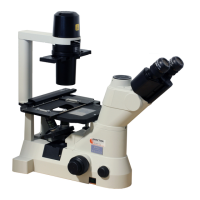
Nikon ECLIPSE TE2000-U - User Manual

Nikon ECLIPSE TE2000-U
74 pages
Print Icon
To Next Page IconTo Next Page
Loading...
M314E 04.7.CF.3(1/5)
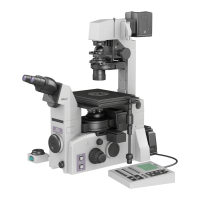
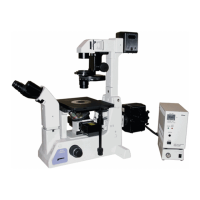
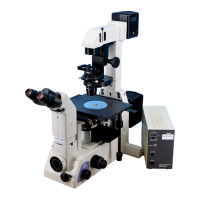
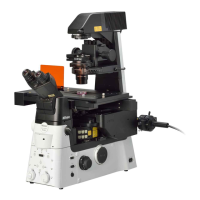
Inverted Microscope
ECLIPSE TE2000-E
ECLIPSE TE2000-U
ECLIPSE TE2000-S
Instructions

Questions and Answers

  • J
    Jeffrey MccoySep 3, 2025
    Why is there no phase contrast effect on my Nikon ECLIPSE TE2000-U Microscope?
    • D
      Daniel HoustonSep 3, 2025
      If you're not getting a phase contrast effect on your Nikon Microscope, ensure you're using a Ph objective. Also, check that the condenser annular diaphragm is in the optical path and matches the Ph code of the objective, and that it is centered. If using a system condenser, make sure the aperture diaphragm is fully open.
  • C
    Caroline QuinnSep 1, 2025
    How to reduce eye fatigue when using a Nikon ECLIPSE TE2000-U Microscope?
    • F
      fernandezjulieSep 2, 2025
      If you're experiencing eye fatigue while using the Nikon Microscope, start by making diopter adjustments. If the issue persists, adjust the brightness using the brightness adjustment dial or ND filters to ensure adequate brightness.
  • D
    David BellAug 31, 2025
    How to fix a yellowish image on my Nikon Microscope?
    • J
      Julie CurtisAug 31, 2025
      If your Nikon Microscope displays a yellowish image, the NCB11 filter might be missing from the optical path; insert it. If the issue remains, the lamp voltage may be too low; adjust the brightness adjustment dial to match the lamp ratings.
  • L
    Lisa RiceAug 29, 2025
    Why does the image flow on my Nikon Microscope?
    • D
      Dr. Mary CarlsonAug 29, 2025
      If your Nikon Microscope image flows, make sure the specimen is correctly positioned on the stage. Also, ensure the revolving nosepiece is correctly installed and rotated to the click stop position. In addition, center the condenser annular diaphragm and raise the dia-illuminator till it hits the limit.
  • J
    Jamie KochAug 28, 2025
    What to do if the view field is too dark on my Nikon ECLIPSE TE2000-U?
    • Z
      Zachary MontgomeryAug 28, 2025
      If your Nikon Microscope's view field is too dark, the condenser aperture diaphragm may be stopped down too far; normally, it should be set to 70 to 80% of the objective N.A. Also, ensure the field diaphragm image is correctly focused on the specimen surface by performing condenser focusing and centering. Finally, check that the optical path switchover dial is set to 100% observation.
  • D
    dannycarpenterAug 27, 2025
    How to improve poor image quality on Nikon ECLIPSE TE2000-U?
    • B
      Brittany KellyAug 27, 2025
      If you're experiencing poor image quality, contrast, or resolution with your Nikon Microscope, start by cleaning the lens and container to remove any dirt or dust. Ensure the objective’s correction ring is correctly set to the bottom plate thickness of the container. If the issue continues, verify that the bottom plate thickness of the container is within the objective's correction range, or perform condenser focusing and centering correctly.
  • S
    Shelley DavenportAug 25, 2025
    Why is the view field too bright on my Nikon ECLIPSE TE2000-U Microscope?
    • S
      Susan SmithAug 25, 2025
      To address a view field that's too bright on your Nikon Microscope, first, insert an ND filter into the optical path. If the issue persists, lower the lamp voltage using the brightness adjustment dial.
  • C
    christopher17Aug 22, 2025
    Why can't I focus with 20x and 40x objective on my Nikon ECLIPSE TE2000-U Microscope?
    • A
      Alec SmithAug 23, 2025
      If you cannot focus with 20x and 40x objectives on your Nikon Microscope, the bottom plate thickness of the container may be outside the correction range of the objective. Use a container with a bottom plate thickness within the correction range.

Summary

Safety Warnings and Precautions

Manual Symbols and Meanings

Explains WARNING and CAUTION symbols used in the manual.

Equipment Symbols and Meanings

Explains symbols for heat caution and biohazard on the equipment.

WARNING - General Safety

Intended Use, Disassembly, and Voltage Checks

Covers intended use, prohibition of disassembly, and input voltage checks.

AC Adapter and Power Cord Safety

Details AC adapter requirements and proper power cord usage.

Light Source Heat and Fire Precautions

Warns about heat from the light source and flammable materials.

WARNING - Hazardous Sample Handling

Procedures for Hazardous Samples

Instructions for handling hazardous samples and spillages.

CAUTION - Operational Safety

Equipment Combination and Power Procedures

Cautions on part combinations, power procedures, and lamp replacement.

Handling, Environmental, and Assembly Cautions

Covers avoiding moisture, electromagnetic waves, assembly, and moving.

CAUTION - Handling and Disposal

Microscope Handling and Port Protection

Notes on gentle handling, lens/lamp care, installation, and port protection.

Disposal of the Microscope

Procedures for disposing of the microscope as contaminated equipment.

I. Parts of the Microscope and Their Names

Microscope Base

Identifies the base of the microscope and its ports.

Eyepiece Tubes and Eyepieces

Describes the different types of eyepiece tubes and eyepieces.

Various Adapters for Ports

Lists adapters for front, side, and bottom ports.

T-EFN Focus Knob

Details the T-EFN focus knob for TE2000-E.

Dia-illuminators

Details the T-DH and T-DS dia-illuminators.

Condensers

Explains the system, ELWD-S, and SLWD condensers.

Stages and Focusing Module

Describes the T-SR rectangular and T-SP plain stages, and focusing modules.

Microscope Rear Components

Describes components located on the rear of the microscope.

Power Supplies

Explains the TE2-PS100W and TE-PS30/PSE30 power supplies.

II. Microscopy

Microscope System Configurations

Outlines basic microscopy procedures for three standard system configurations.

Bright-field Microscopy Procedures

Step-by-step guide for performing bright-field microscopy.

Phase-contrast Microscopy Procedures

Detailed instructions for phase-contrast microscopy.

Photomicrography Setup and Procedure

Guide for taking pictures using a 35-mm camera.

Nikon ECLIPSE TE2000-U Specifications

General IconGeneral
TypeInverted Research Microscope
Optical SystemCFI60 Infinity Optical System
Illumination12V 100W halogen lamp
CameraCompatible with various digital cameras
Accessoriesfluorescence attachments
FocusingCoarse and fine focusing knobs
Nosepiece6-position
CondenserLong working distance condenser
Eyepiece TubeTrinocular eyepiece tube
Power Supply100-240V AC

Related product manuals