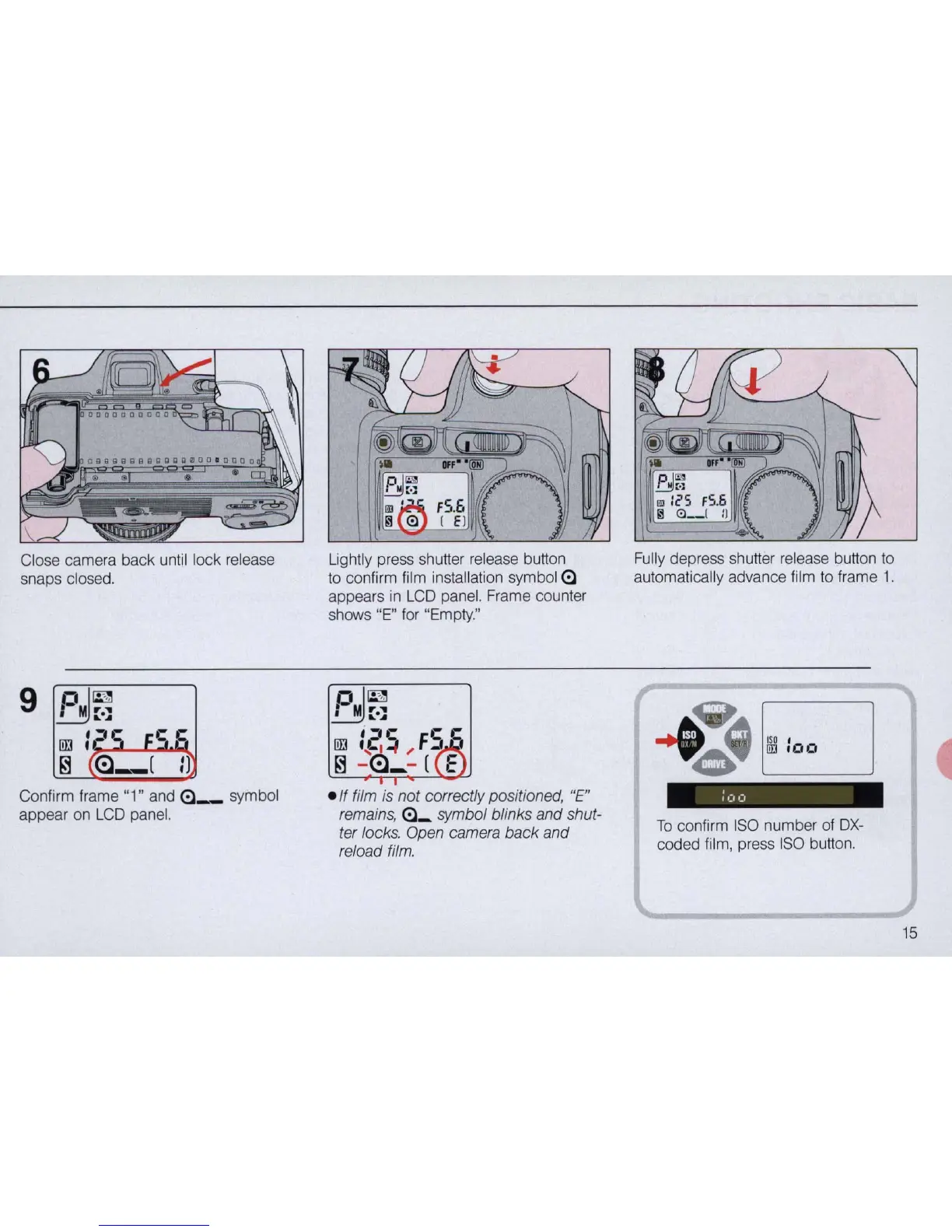
Close camera back until lock release
snaps closed.
Confirm frame "1" and
<:l_
symbol
appear on
LCD
panel.
Lightly press shutter release button
to
confirm film installation symbol
<:l
appears in
LCD
panel. Frame counter
shows "
E"
for "Empty."
pl
~
~::.:,:
I~~
Fe
c
[[j
'
,F
.
~
,
;A
I
~
-
<=l_
- ( E
e
lf
film is not correctly positioned,
"E"
remains,
<:l_
symbol blinks and shut-
ter locks. Open camera back and
reload
film.
Fu
l
ly
depress shutter release button
to
automatically advance film to frame 1.
ISO
'
UJJ
.00
To
confirm
ISO
number of
DX-
coded
fi
lm, press
ISO
button.
15



 To Next Page