EXPOSURE COMPENSATION BUTTON
If
you wish to modify the exposure control (from the
ISO
stan-
dard), use the Exposure Compensation system. Modification
from
-5EV
to +5EV
is
possible. Be sure to reset the control to
zero to resume normal operation.
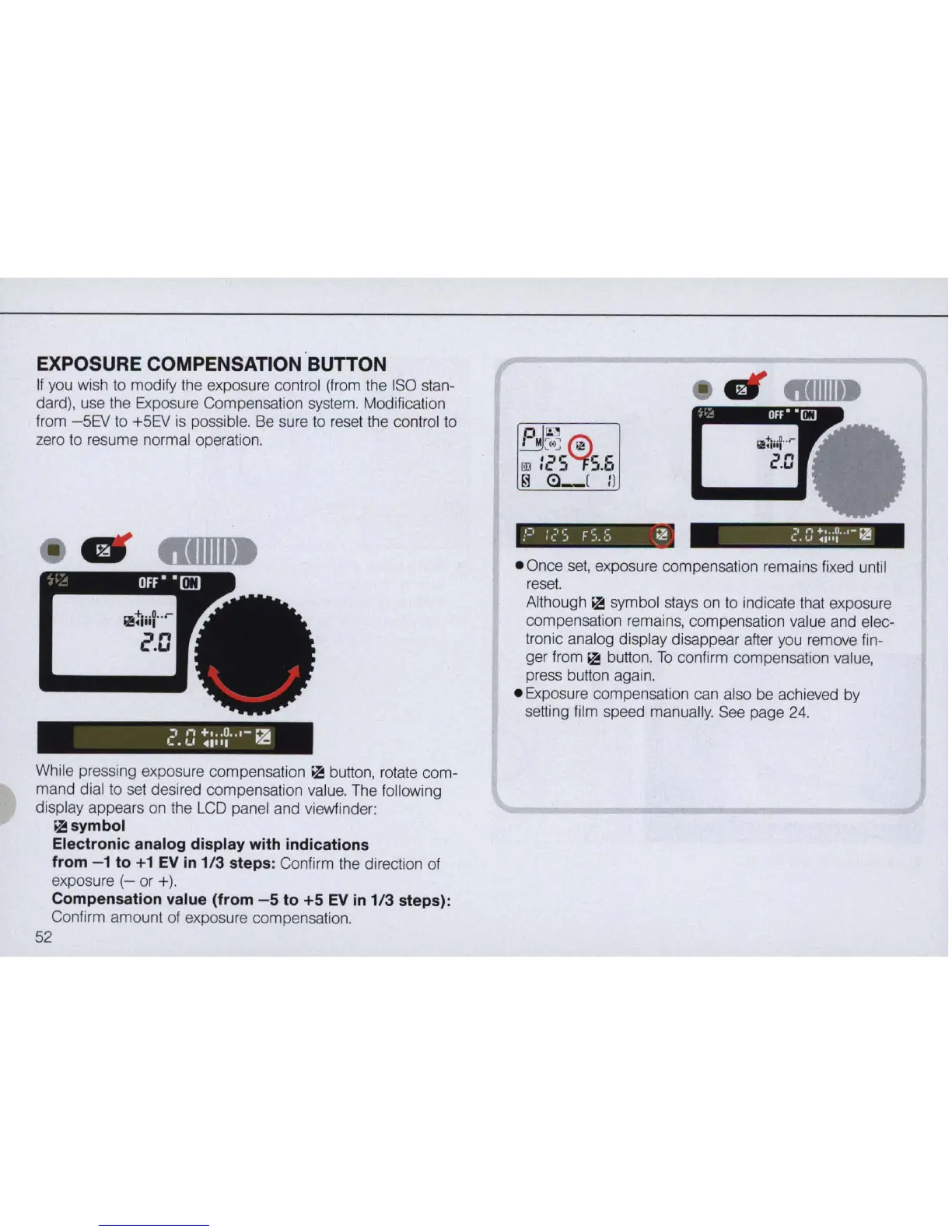
While pressing exposure compensation
II! button, rotate com-
mand dial to set desired compensation value. The following
display appears on the
LCD
panel and viewfinder:
II!
symbol
Electronic analog display with indications
from - 1 to
+1
EV
in
1/3
steps: Confirm the direction of
exposure
(-
or +).
Compensation value (from
-5
to
+5
EV
in
1/3 steps):
Confirm amount of exposure compensation.
52
• Once set, exposure compensation remains fixed until
reset.
Although II! symbol stays on to indicate that exposure
compensation remains, compensation value and elec-
tronic analog display disappear after you remove fin-
ger from
II! button.
To
confirm compensation value,
press button again .
• Exposure compensation can also be achieved by
setting film speed manually. See page
24.



 To Next Page