SELF-TIMER
OPERATION-----------------
ONE-SHOT
SELF-TIMER
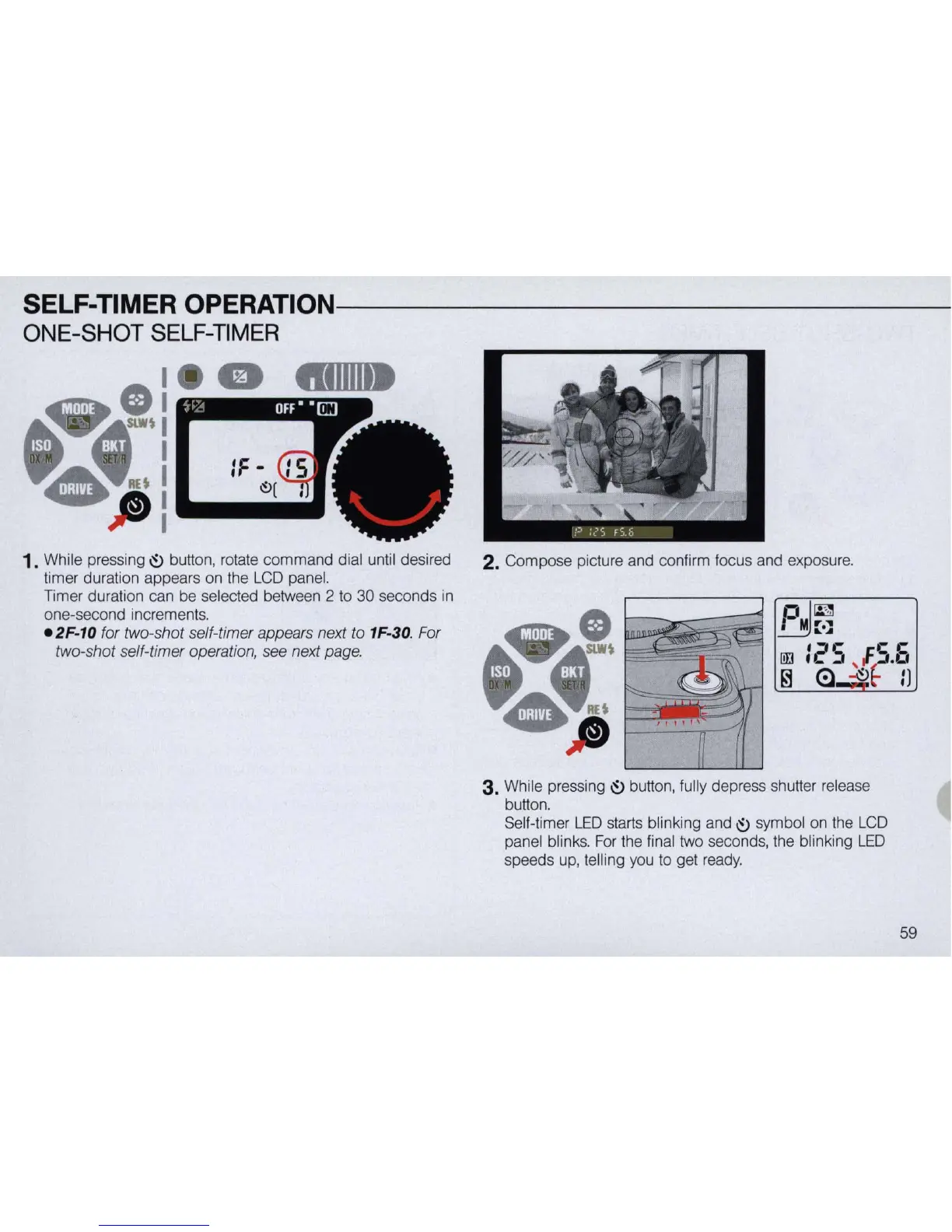
1. While pressing
~
button, rotate command dial until desired
timer duration appears on the
LCD
panel.
Timer duration can be selected between 2 to 30 seconds
in
one-second increments.
e2F
-
10
for two-shot self-timer appears next to 1F-30. For
two-shot self-timer operation, see next page.
2.
Compose picture and confirm focus and exposure.
3. While pressing
~
button, fully depress shutter release
button.
Se
lf-timer L
ED
starts blinking and
~
symbol on the
LCD
panel blinks.
For
the final two seconds, the blinking
LED
speeds
up,
telling you
to
get
ready.
59



 To Next Page