TWO-SHOT
SELF-TIMER
It
is
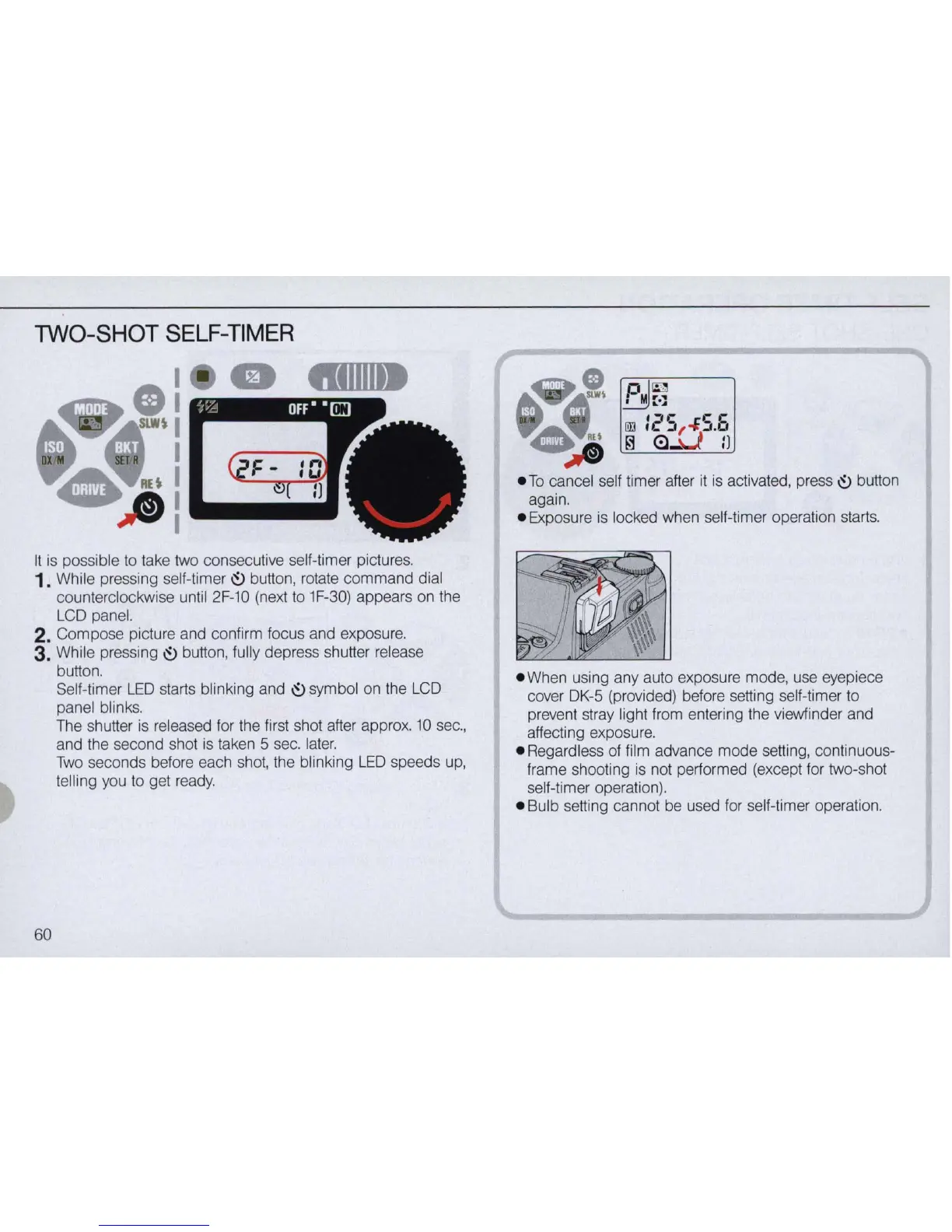
possible to take two consecutive self-timer pictures. .
1. While pressing self-timer 0 button, rotate command dial
counterclockwise until
2F-1O
(next
to
1F-30) appears on the
LCD panel.
2. Compose picture and confirm focus and exposure.
3.
While pressing 0 button, fully depress shutter release
button.
60
Self-timer
LED
starts blinking and 0 symbol on the LCD
panel blinks.
The shutter is released for the first shot after approx.
10
sec.,
and the second shot is taken 5 sec.
later.
Two
seconds before each shot, the blinking
LED
speeds
up,
telling you to get ready.
again.
• Exposure is locked when se
lf
-timer operation starts.
.
When
using any auto exposure mode, use eyepiece
cover DK-5 (provided) before setting self-timer
to
prevent stray light from entering the viewfinder and
affecting exposure.
• Regardless of
fi
lm advance mode setting, continuous-
frame shooting is not performed (except for two-shot
self-timer operation).
• Bulb setting cannot be used for self-timer operation.



 To Next Page