BASIC SHOOTING
--
-
---------
-
--
-
--
1
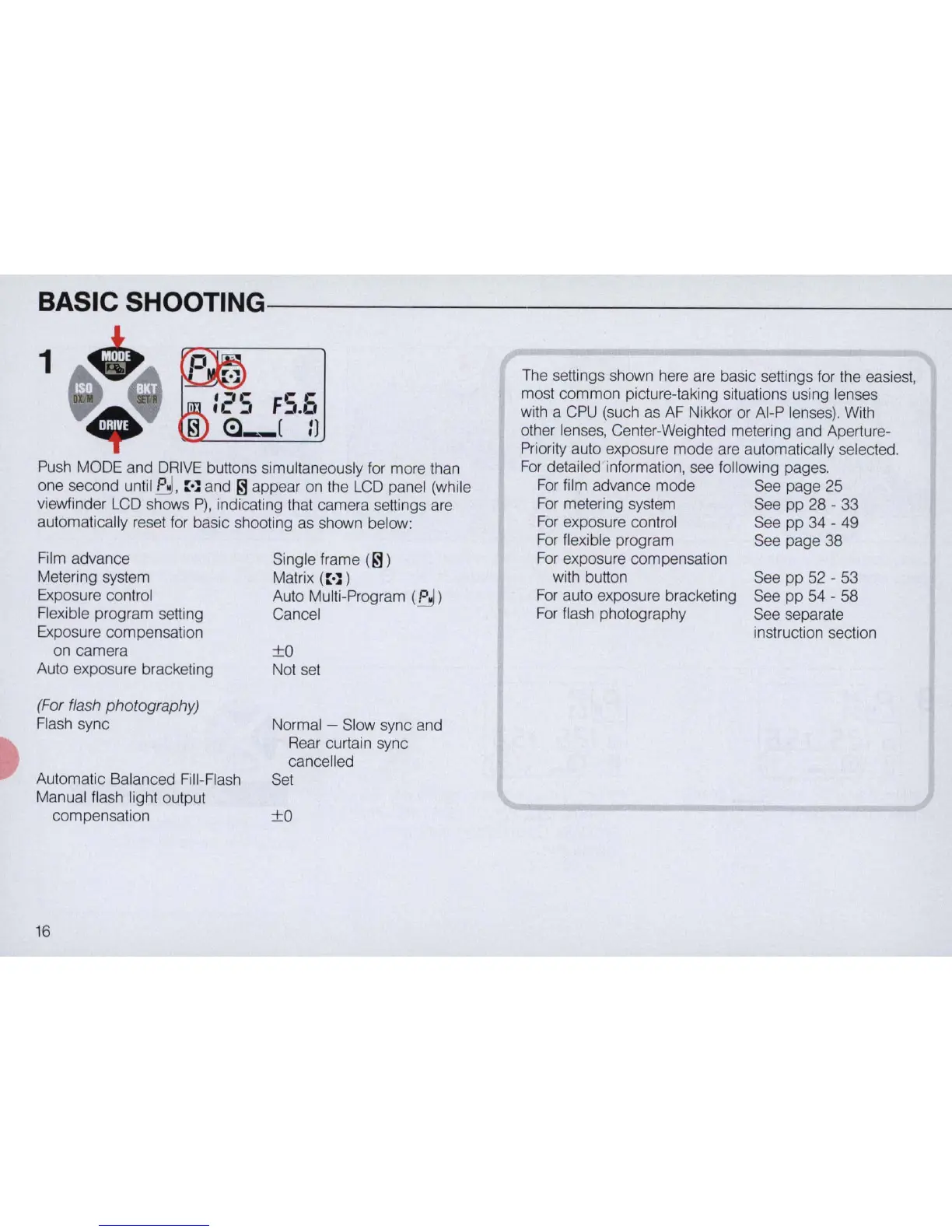
Push MODE and DRIVE buttons simultaneously for more than
one second until
~
,
::
·l and
~
appear on the LCD panel (while
viewfinder LCD shows
P),
indicating that camera settings are
automatically reset for basic shooting as shown below:
Film advance
Metering system
Exposure control
Flexible program setting
Exposure compensation
on camera
Auto exposure bracketing
(For flash photography)
Flash sync
Automatic Balanced Fill-Flash
Manual flash light output
compensation
16
Single frame
(
~
)
Matrix (
::
·l )
Auto Multi-Program
(P
Cancel
±o
Not set
Normal - Slow sync and
Rear curtain sync
cancelled
Set
±o
The settings shown here are basic settings for the easiest,
most
common
picture-taking situations using lenses
with a CPU (such as AF Nikkor or AI-P lenses). With
other lenses, Center-Weighted metering and Aperture-
Priority auto exposure
mode
are automatically selected.
For detailed information, see following pages.
For
film advance
mode
See page 25
For metering system See
pp
28 - 33
For exposure control See
pp
34 - 49
For flexible program See page
38
For exposure compensation
with button
For auto exposure bracketing
For flash photography
See
pp
52 - 53
See
pp
54 - 58
See separate
instruction section



 To Next Page