FLEXIBLE
PROGRAM
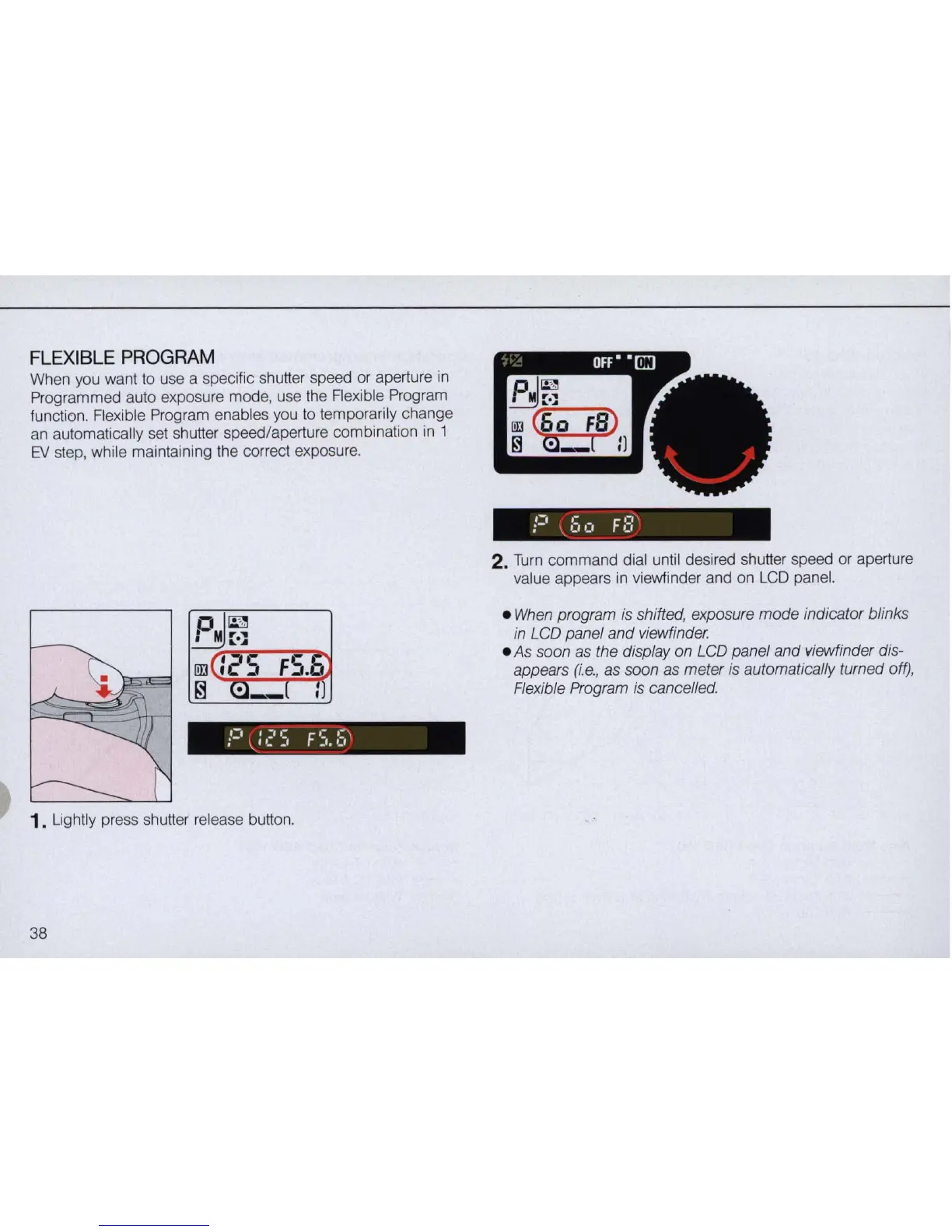
When you want to use a specific shutter speed or aperture
in
Programmed auto exposure mode, use the Flexible Program
function. Flexible Program enables you to temporarily change
an automatically set shutter speed/aperture combination in 1
EV
step, while maintaining the correct exposure.
1. Lightly press shutter release button.
38
2. Tu
rn
command dial until desired shutter speed or aperture
value appears in viewfinder and on
LCD
panel.
•
When
program is shifted, exposure
mode
indicator blinks
in LCD panel and viewfinder.
• As soon as the display on LCD panel and viewfinder dis-
appears
(i
.e.,
as
soon
as
meter is automatically turned off),
Flexible Program is cancelled.



 To Next Page