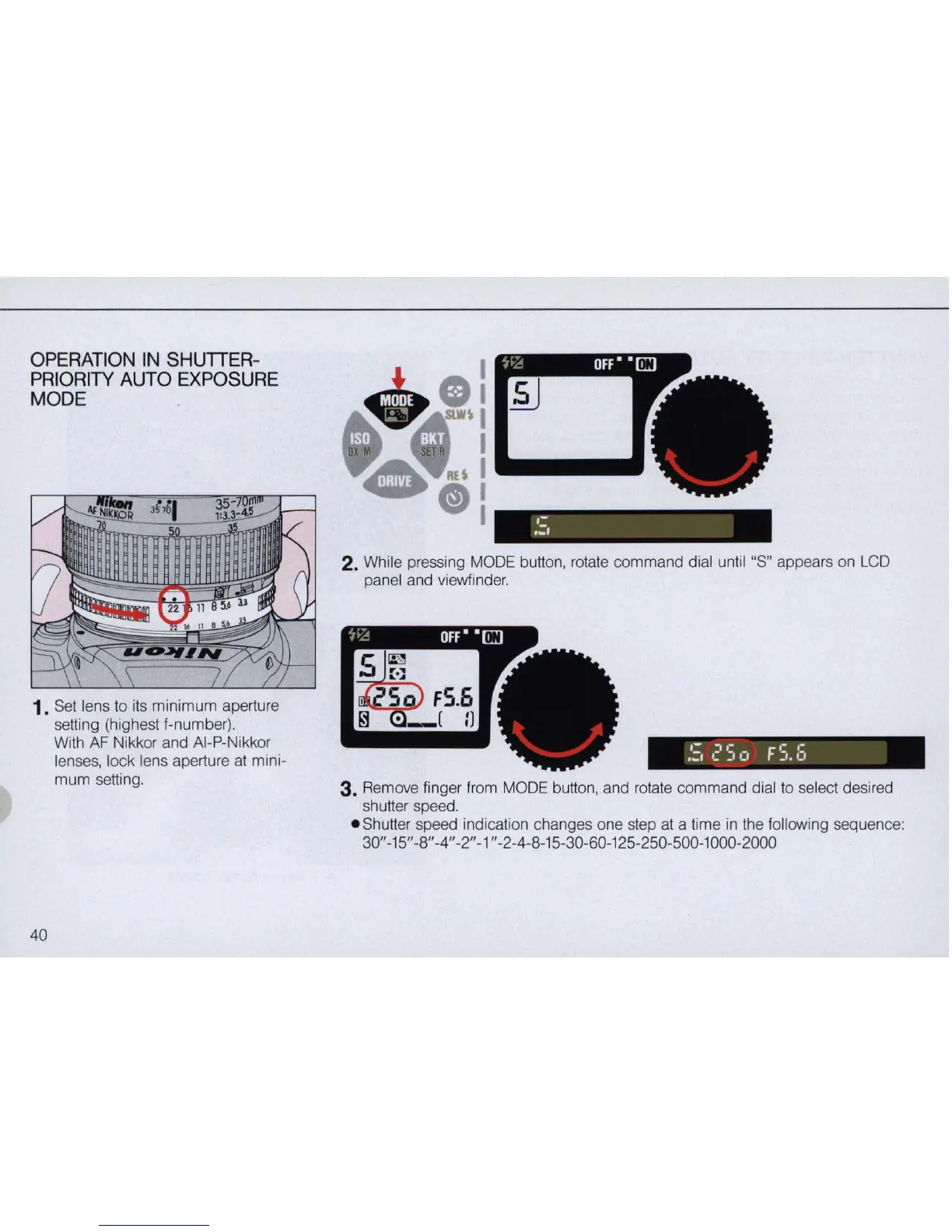
OPERATION IN SHUTTER-
PR
IORITY AUTO EXPOSURE
MODE
1. Set lens to its minimum aperture
setting (highest f-number).
40
With
AF
Nikkor and AI-P-Nikkor
lenses, lock lens aperture
at
mini-
mum
setting.
,-
.:.
2.
While pressing MODE button, rotate command dial until "S" appears on
LCD
panel and viewfinder.
:;
E'
S
c,
F
S.
:;
3. Remove finger from MODE button, and rotate command dial to select desired
shutter speed.
- Shutter speed indication changes one step
at
a time
in
the following sequence:
30"-15" -8" -4" -2" -1" -2-4-8-15-30-60-125-250-500-1000-2000



 To Next Page