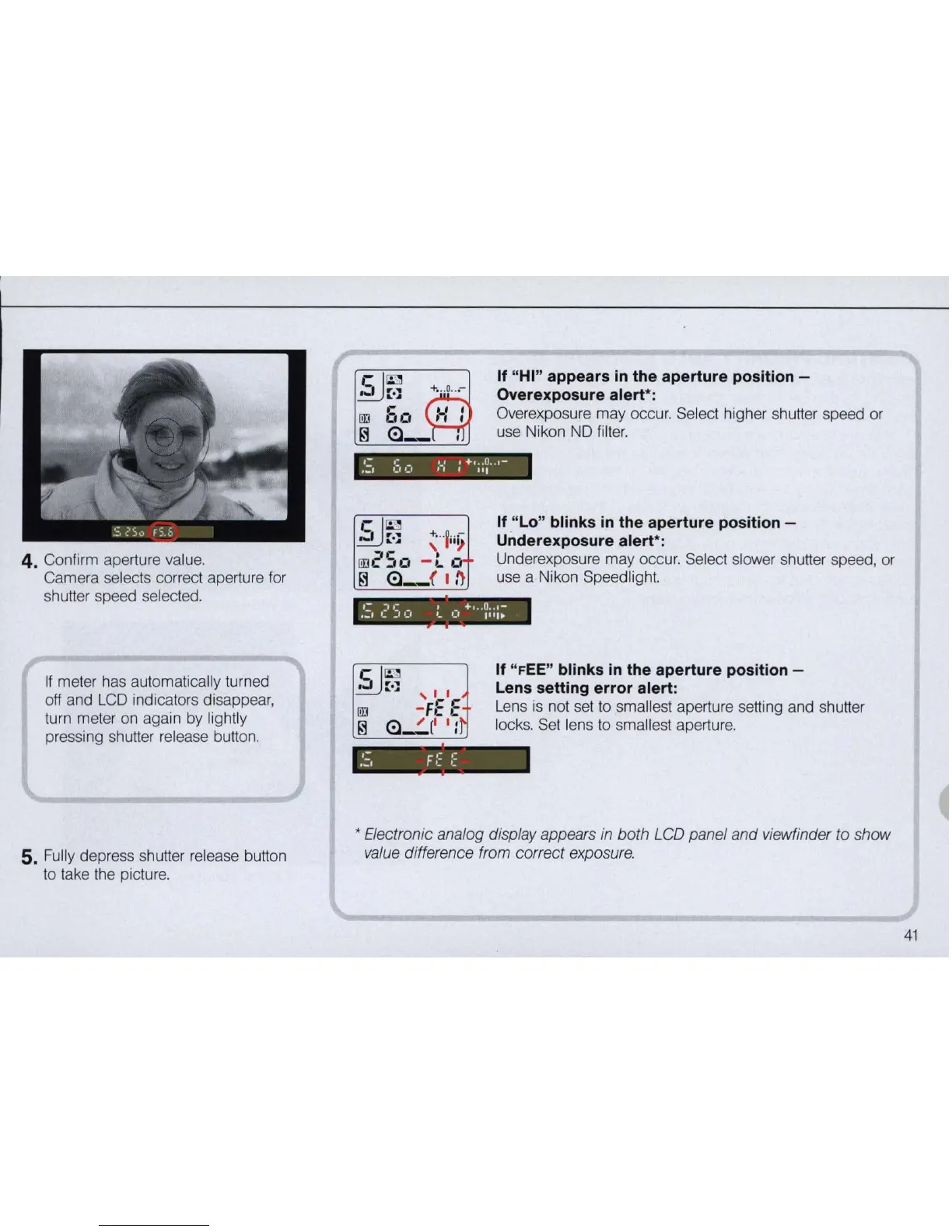
4. Confirm aperture value.
Camera selects correct aperture for
shutter speed selected.
If
meter has automatically turned
off and
LCO
indicators disappear,
turn meter on again by lightly
pressing shutter release button.
5.
Fully depress shutter release button
to take the picture.
cl
~
~~
.
::
[jJJ
60
~
(!)-
If "HI" appears
in
the aperture position -
Overexposure alert":
Overexposure may occur. Select higher shutter speed or
use Nikon
NO
filter.
If "
Lo
" blinks
in
the aperture position -
Underexposure alert
":
Underexposure may occur. Select slower shutter speed, or
use a Nikon Speedlight.
':
,.;.
1.+
...
0
..
,-
..... '
••
' '.'
'.
'.' 1
11
1
..
If "
FEE
" blinks
in
the aperture position -
Lens setting error alert:
Lens
is
not set to smallest aperture setting and shutter
locks. Set lens
to
smallest aperture.
• Electronic analog display appears in both LCD panel and viewfinder to show
value difference from correct exposure.
41



 To Next Page