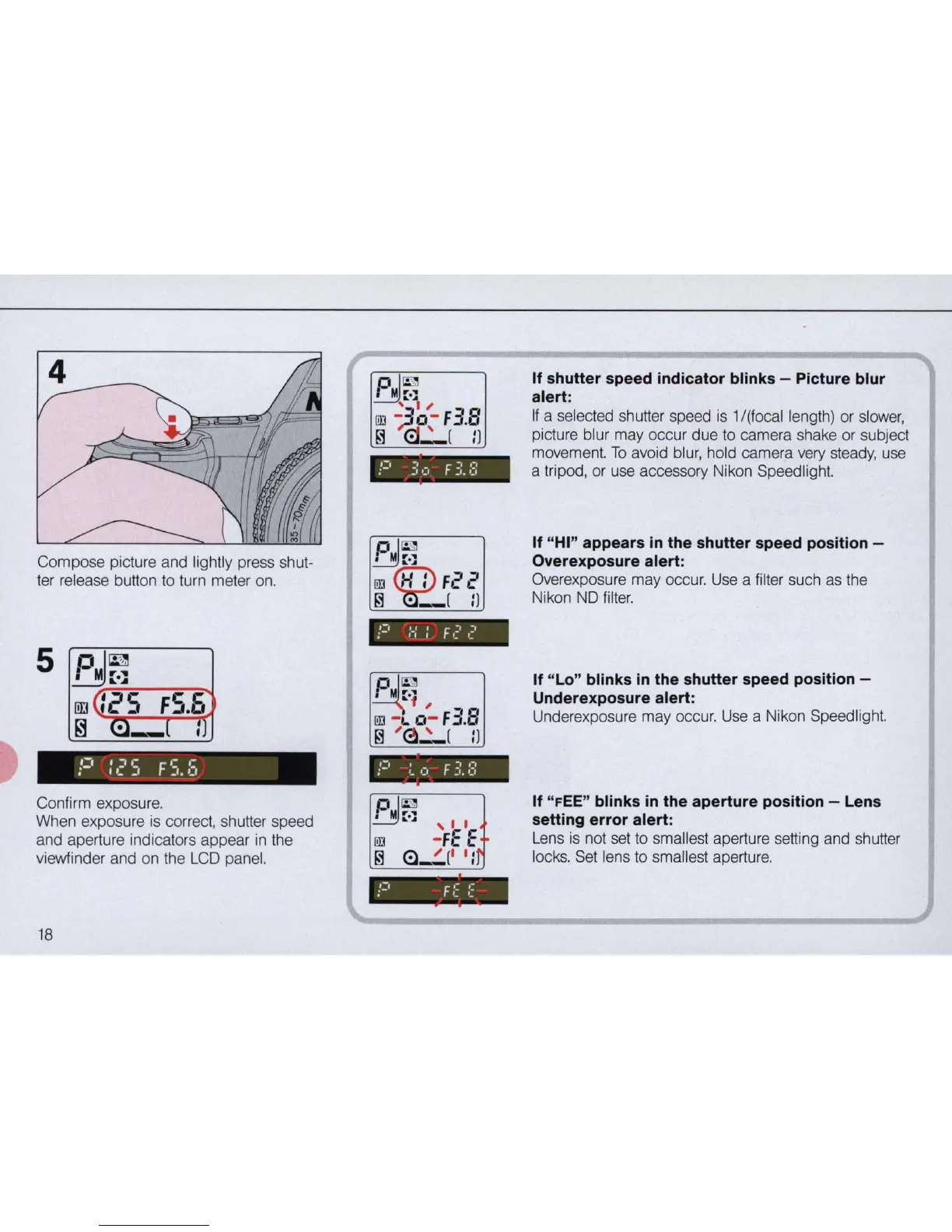
Compose picture and lightly press shut-
ter
re
lease button to turn meter on.
;=1
:
c'
5 F
s.
6
Confirm exposure.
When exposure
is
correct, shutter speed
and aperture indicators appear
in
the
viewfinder and on the
LCD
panel.
18
If shutter speed indicator blinks - Picture blur
alert:
If
a selected shutter speed
is
1/(focallength)
or
slower,
picture blur may occur due to camera shake or subject
movement.
To
avoid blur, hold camera very steady, use
a tripod, or use accessory Nikon Speedlight.
If "HI" appears
in
the shutter speed position -
Overexposure alert:
Overexposure may occur. Use a filter such as the
Nikon ND
filter.
If "
Lo
" blinks
in
the shutter speed position -
Underexposure alert:
Underexposure may occur. Use a Nikon Speedlight.
If "
FEE"
blinks
in
the aperture position - Lens
setting error alert:
Lens
is
not set to smallest aperture setting and shutter
locks.
Set
lens to smallest aperture.



 To Next Page