fJ
'
t-
•
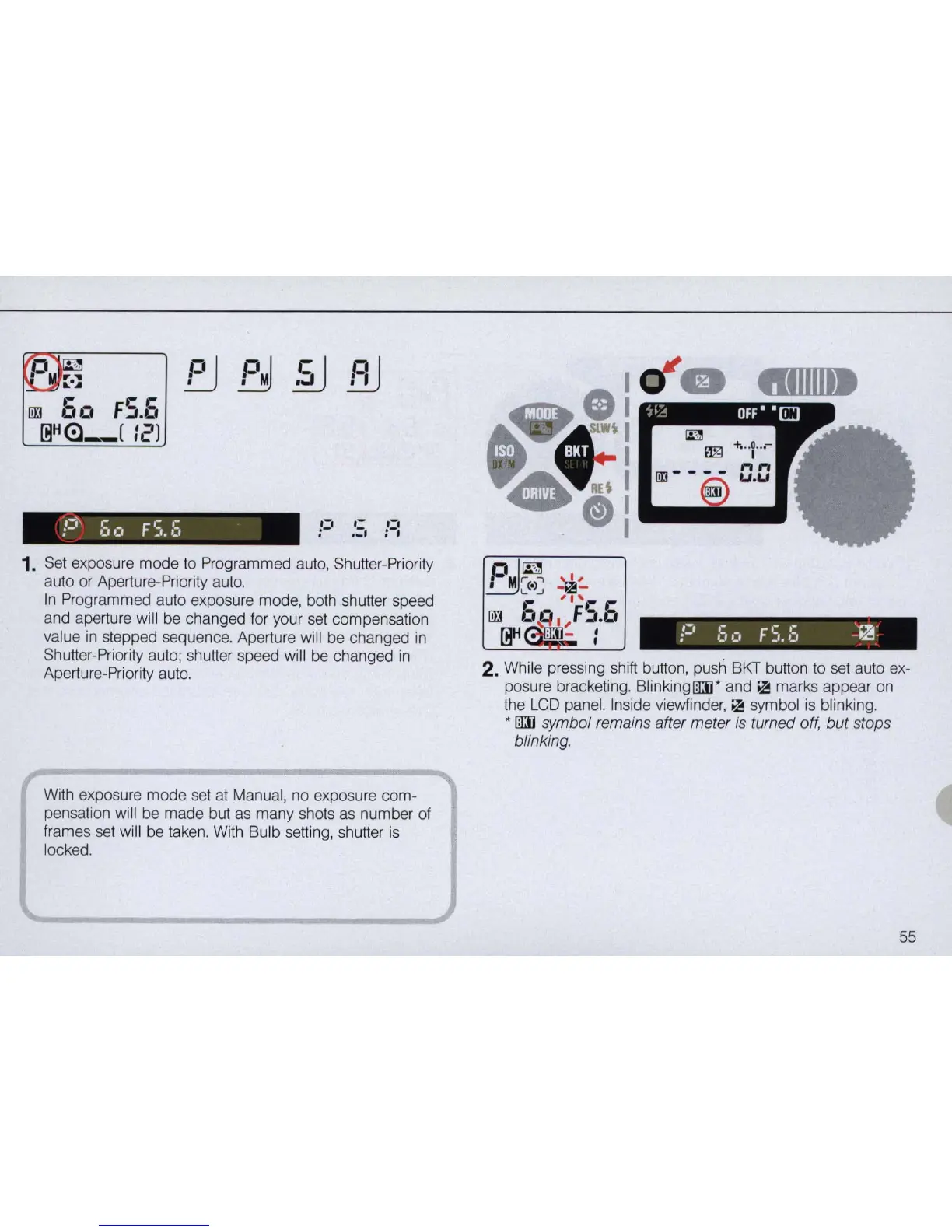
1.
Set exposure mode to Programmed auto, Shutter-Priority
auto or Aperture-Priority auto.
In
Programmed auto exposure mode, both shutter speed
and aperture will be changed for your set compensation
value
in
stepped sequence. Aperture will be changed
in
Shutter-Priority auto; shutter speed will be changed
in
Aperture-Priority auto.
With exposure mode set
at
Manual, no exposure com-
pensation will be made but
as
many shots
as
number of
frames set will be taken. With Bulb setting, shutter
is
locked.
P
I
~
~.~
n
·
i'"
~
~
L...J
",
liD
5
~
I ,
FS.5
[ijH
: - :
2. While pressing shift button, push BKT button to set auto ex-
posure bracketing. BlinkingrnJ* and
~
marks appear on
the
LCD
panel. Inside viewfinder,
~
symbol
is
blinking.
* rnJ symbol remains after meter
is
turned off, but stops
blinking.
55



 To Next Page