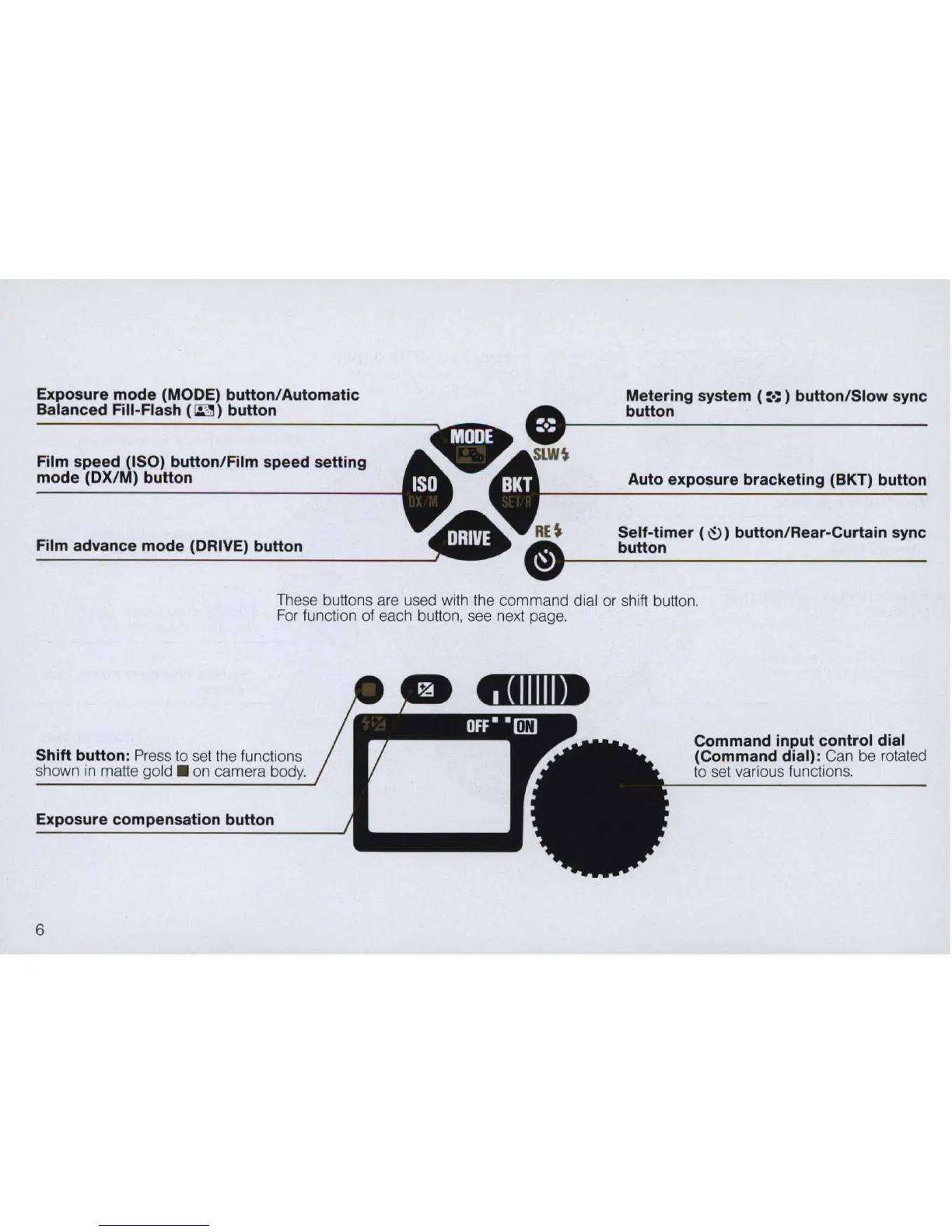
Exposure mode (MODE) button/Automatic
Balanced Fill-Flash
(
~
)
button
Film speed (ISO) button/Film speed setting
mode (DX/M) button
Film advance mode (DRIVE) button
Metering system (:.::) button/Slow sync
button
Auto exposure bracketing (BKT) button
Self-timer (
~)
button/Rear-Curtain sync
button
These buttons are used with the command dial or shift button.
For
function of each button, see next page.
Shift button: Press to
se
t the functions
shown
in
matte
go
ld.
on camera body.
Exposure compensation button
6
Command input control dial
(Command dial):
Can be rotated
to
se
t va
ri
ous functions.



 To Next Page