D-18
D
Wireless Multiple Flash-unit Photography
En-03
Taking a picture with Advanced Wireless
Lighting
1. Master flash unit setting
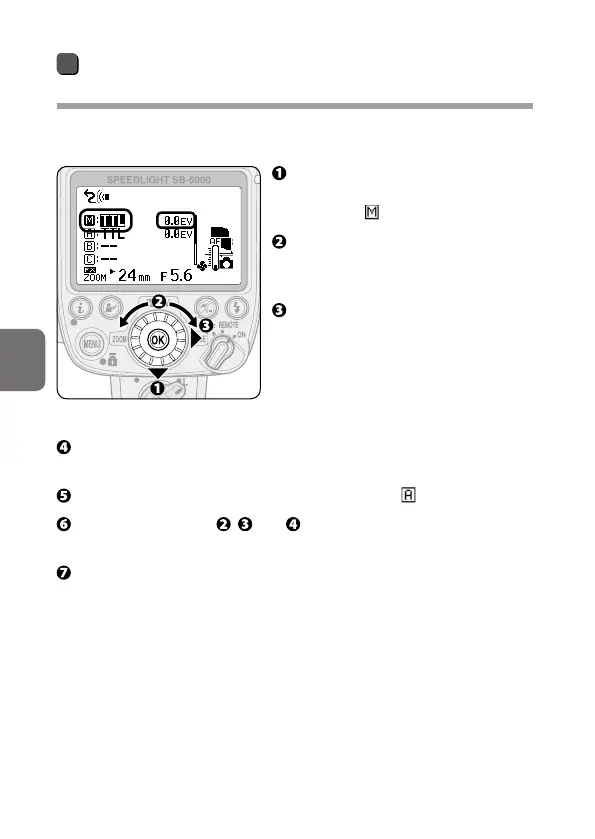
Setting the flash functions of each Speedlight on the SB-5000:
Press the rotary multi selector
3 on the master flash unit to
highlight (master flash unit).
Rotate the rotary multi selector
to choose a master flash unit
flash mode.
Press the rotary multi selector
2 to highlight the flash
compensation value and rotate
the rotary multi selector to
choose a flash compensation
value.
Press the rotary multi selector 4 to highlight the flash mode,
and then press the OK button.
Press the rotary multi selector 3 to highlight (group A).
Repeat procedures , and to set the flash mode and flash
compensation value of remote flash unit group A.
Set the other remote flash unit groups in the same manner.



 To Next Page