D-19
D
Wireless Multiple Flash-unit Photography
En-03
With optical control only
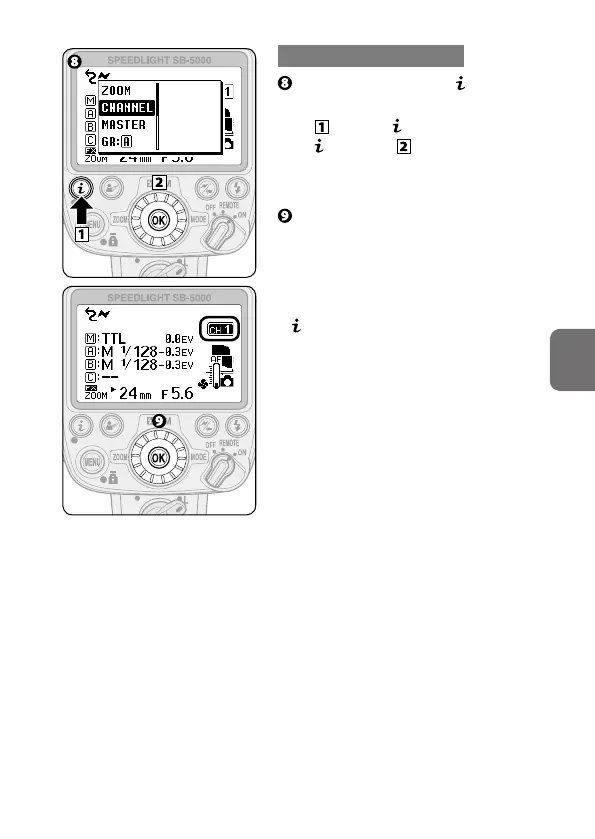
Choose [CHANNEL] in menu
(0B-9).
•
Press the button to display
menu and use the rotary
multi selector to choose
[CHANNEL].
Use the rotary multi selector to
choose a channel, and then press
the OK button (0B-6).
• Flash mode and flash compensation
value can also be configured in
menu (0B-9).



 To Next Page