D-20
D
Wireless Multiple Flash-unit Photography
En-03
2. Remote flash unit setting
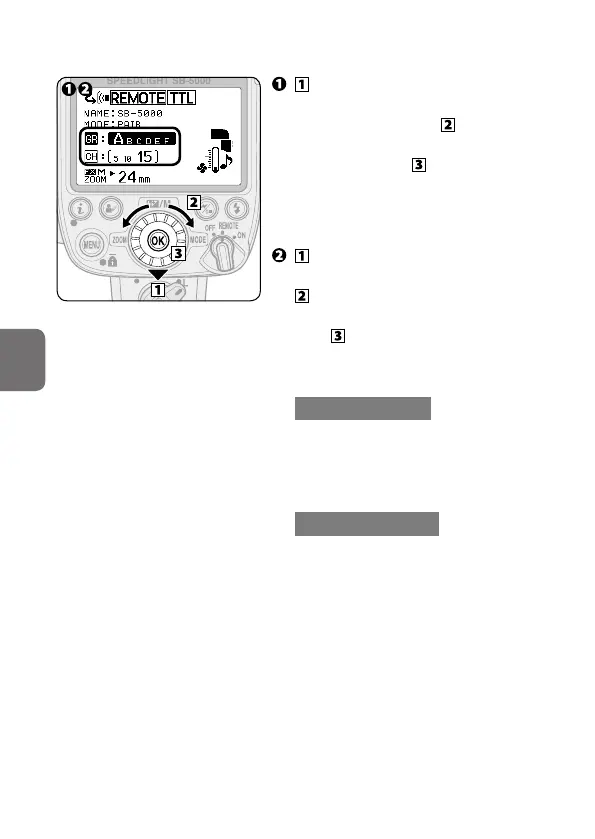
• Group name and channel
number being set appears
larger.
Press the rotary multi selector
3 on the remote flash unit to
highlight the group, rotate the
rotary multi selector to choose a
group, and then press the OK
button.
• Alternatively, press the rotary multi
selector 4 2 to choose a group.
Press the rotary multi selector
3 to highlight the channel,
rotate the rotary multi
selector to choose a channel, and
then press the OK button.
• Alternatively, press the rotary multi
selector 4 2 to choose a channel.
With radio control
• Be sure to choose the same
channel number as set on the
Wireless Remote Controller
WR-R10.
With optical control
• Be sure to choose the same
channel number as set on the
master flash unit.



 To Next Page