E-9
E
Functions
En-03
How to attach SJ-5 color filters (optional)
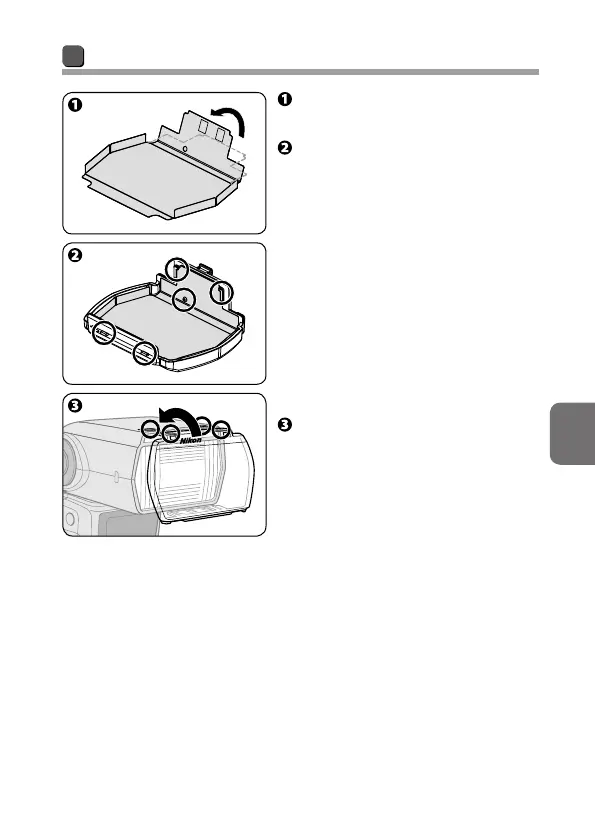
Fold along the line marked on
the filter.
Attach the filter to Color Filter
Holder SZ-4 (optional) as shown
in the diagram.
• Insert the filter edges into the slits
on the holder, and then align the
filter positioning hole with the
holder pin.
• Align the filter identification code
(silver marks) with the black bar on
the holder.
• Attach the filter to the filter holder
without creasing the filter or
leaving any gaps.
Place the filter holder on the
flash head with the Nikon logo
facing up, as shown in the
diagram, and insert it into the
slit at the top.
• Be sure to attach the filter to the
filter holder before placing the
filter holder on the flash head.



 To Next Page