- 51 -
B.4 Make Shading
After replacing the lamp, you must perform lamp calibration
using the Make Shading function before you can operate the
scanner (to replace the lamp, follow the directions given in the
LS-4500AF hardware manual).
You must use this function whenever you replace the lamp.
Note: The film holder must ejected before this function is used, as
otherwise lamp calibration will not proceed correctly.
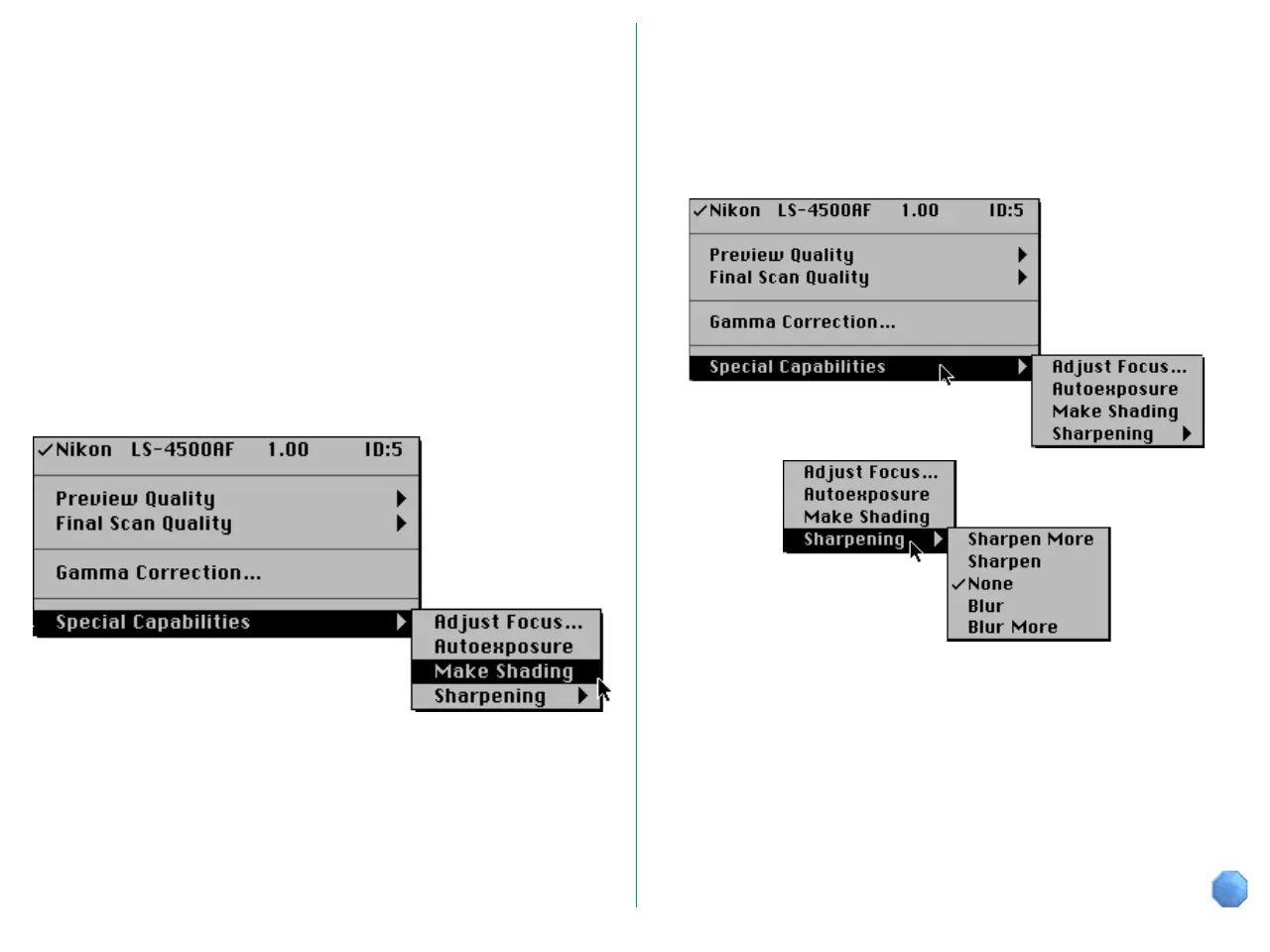
The pop-up menu at the top left corner of the Main dialog box
includes the Special Capabilities sub-menu. Lamp calibration
begins immediately on your selecting Make Shading from the
Special Capabilities submenu.
B.5 Sharpening
It is often necessary to sharpen images prior to reproduction
since there are usually losses in definition when going to press.
To enhance edge contrast, choose Sharpening from the Special
Capabilities menu.
Choose any one of the following from the Sharpening menu.
• Sharpen More
• Sharpen
• None
• Blur
• Blur More















 To Next Page