22
Release Delay
Choose how long a receiver waits to release the shutter after the
transmitter shutter-release button is pressed all the way down. Dif-
ferent delays can be used for di erent receivers, allowing shutter
release to be staggered over a series of cameras using a single trans-
mitter.
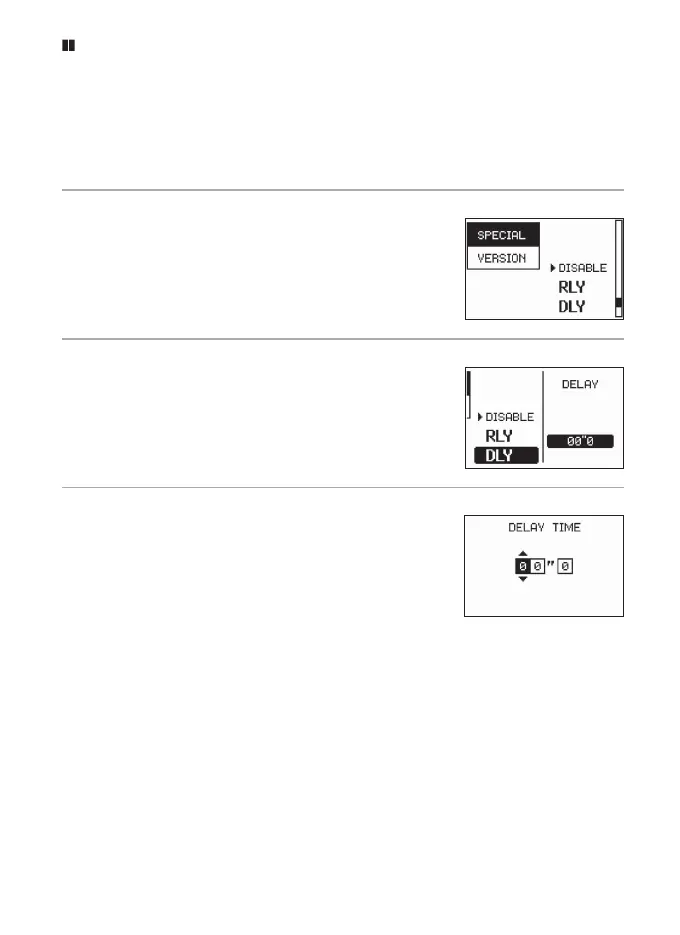
1
Select SPECIAL on the receiver.
Press the MENU button on a receiver to dis-
play the menus, then highlight SPECIAL and
press 2.
2
Select DLY.
In the receiver SPECIAL menu, highlight DLY
and press 2 to display the options shown at
right.
3
Choose the delay.
Highlight DELAY and press 2. The options
shown at right will be displayed; press 4 or
2 to highlight a digit and 1 or 3 to choose
a delay (maximum 60.0 seconds). Press z to
return to exit when settings are complete.
Repeat Steps 1–3 for the remaining receivers as required.


 To Next Page