TRUE METRIX
®
PRO System Comprehensive Resource Guide (GDH-FAD Enzyme) Quality Control Testing 19
Quality Control Testing cont.
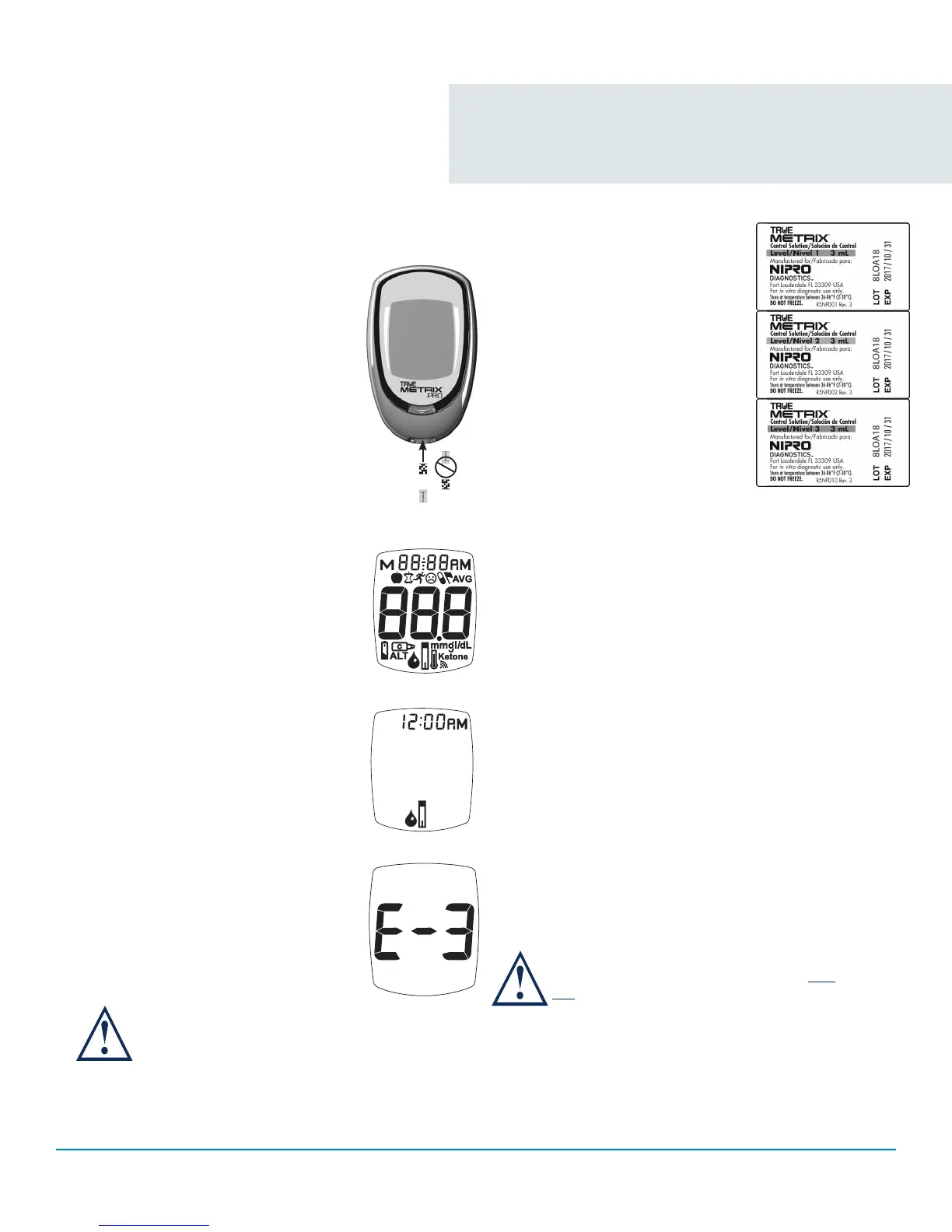
Automatic Self-Test
An Automatic Self-Test is performed
by the meter each time a test strip is
inserted correctly into the Test Port.
Insert a test strip into Test Port. The
meter is working properly if:
~ the full Display appears, then
~ the time appears in the upper
part of the Display, and then,
~ the Drop Symbol begins to blink.
If an error message appears in the
Display, the meter will not perform a
test. See Troubleshooting or call for
assistance.
If any segments are missing
in the Display when meter is
first turned on, do not use the
meter for testing.
Control Test
Use ONLY TRUE METRIX
®
Control
Solution to check the performance
of the system. It is important to
perform Control Tests with more
than one level of control solution
to assure that the system is
working properly and testing
technique is good. Three levels of
TRUE METRIX
®
Control Solution
(Levels 1-3) containing known
amounts of glucose are available.
Control Test(s) should be performed:
• Before using the system for the first time.
• For practice to ensure that testing technique
is good.
• When opening a new vial of test strips.
• If results seem unusually high or low based on
the patient’s condition.
• If strip vial has been left open or exposed to
extreme heat, cold or humidity.
• Whenever a check on the performance of the
system is needed.
• If meter damage is suspected (meter dropped,
crushed, wet, etc.).
Ranges printed on the test strip vial label
are for Control Test results only and are
not to be used for management of patients’
blood glucose. DO NOT drink control
solution.
Contact Blocks
Face Up
Full Display
Drop Symbol
Error Message
May 30, 2017May 30, 2017 May 30, 2017



 To Next Page