TRUE METRIX
®
PRO System Comprehensive Resource Guide (GDH-FAD Enzyme) Troubleshooting Display Messages 30
Troubleshooting
Display Messages
Display Messages
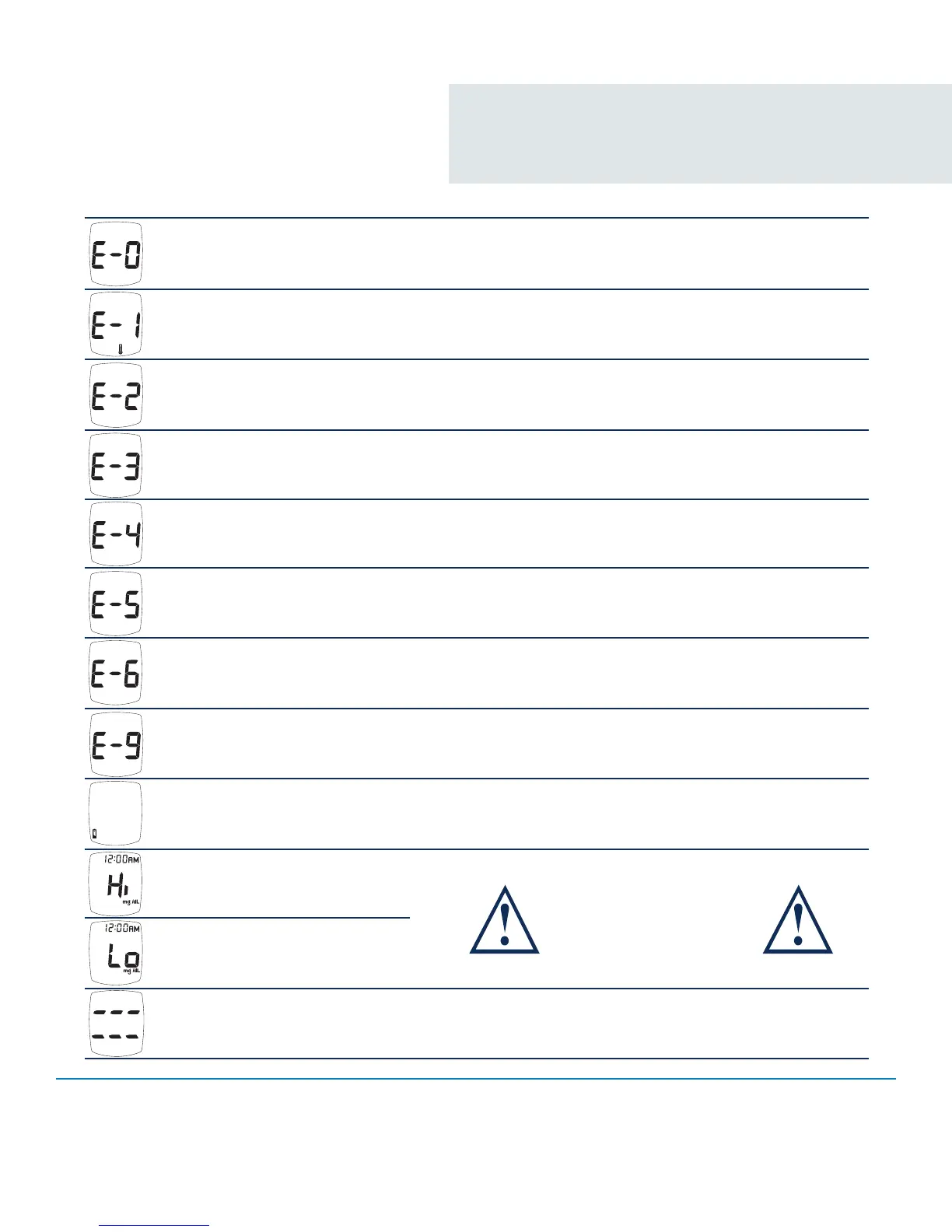
Display Reason Action
Invalid Hematocrit
Repeat with new test strip, using capillary whole blood from
the finger or forearm or venous whole blood collected with
sodium heparin blood collection tube. If error persists, call for
assistance.
Temperature Error
Too Cold/Too Hot
Move meter and test strips to area between 41°F-104°F;
wait 10 minutes for System to reach room temperature
before testing.
Sample Not Detected or Using
Wrong Test Strip
Retest with new TRUE METRIX
®
PRO Test Strip and larger
sample.
Used Test Strip, Test Strip
outside of vial too long, Sample
on top of Test Strip.
Repeat with new test strip. Make sure sample is touched to
edge of test strip (not top). If error persists, call for assistance.
Meter Error
Call for assistance.
Test Strip Error, Very high
blood glucose result - higher
than 600mg/dL
Retest with new Test Strip. If error persists, call for assistance.
If you have symptoms such as fatigue, excess urination, thirst,
or blurry vision follow your healthcare professional’s advice for
high blood glucose.
Test Strip Removed During Test
Retest with new test strip. Make sure result is displayed before
removing test strip.
Communication Error
Call for assistance.
Low or Dead Battery
WARNING!!
Retest with new test strip.
If result is still “Hi” (High)
or “Lo” (Low) contact
Doctor immediately.
Out of Range - Low Results
< 20 mg/dL
Low: About 50 tests can be done before battery dies.
Dead: Battery Symbol appears and beeps before
meter turns off.
WARNING!! Out of Range - High
Results > 600 mg/dL
If error message still appears, any other error message appears, or troubleshooting does not solve the problem, call for assistance.
Broken Display
Do not use meter for testing. Call 1-800-803-6025.



 To Next Page