19
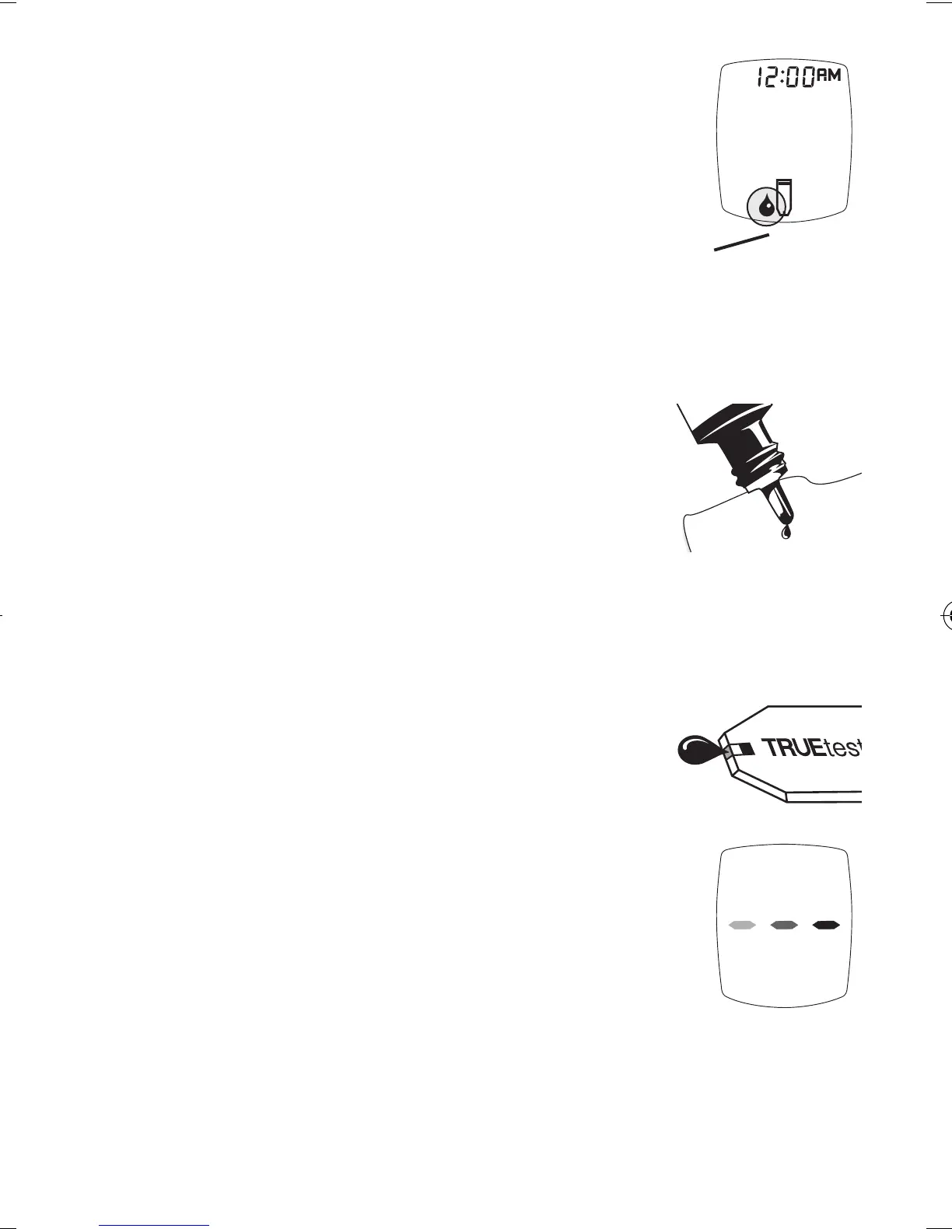
6. Wait until Drop Symbol appears in
Display. Keep Strip in Meter until
testing is finished.
Note:
If Strip is removed before testing
is finished, an error message
appears. Release and discard old
Strip. Use new Strip for testing.
7. Turn Control bottle upside down.
Squeeze one drop of Control onto
a clean tissue. Wipe o bottle tip.
8.
Gently squeeze a Control drop onto
a small piece of unused aluminum
foil or clear plastic wrap. Dispose
aer use.
9.
With Strip still in Meter, touch edge
of Sample Tip to drop of Control.
Allow drop to be drawn into Strip.
Remove Strip from drop when
Meter beeps.
10.
Dashes appear across the Display to
show Meter is testing.
Note: If Meter does not beep and begin
testing soon aer drawing up
sample, release and discard
Strip. Repeat test with new
Strip. If problem persists, see
Troubleshooting.
Drop Symbol
Meter testing
Tre_OB_GutsENG_E4NPD04r22.indd 19 4/24/12 9:53 AM



 To Next Page