Testing Reminder
Up to four Testing Reminders per day may be set.
Reminder sounds at set time for 10 seconds.
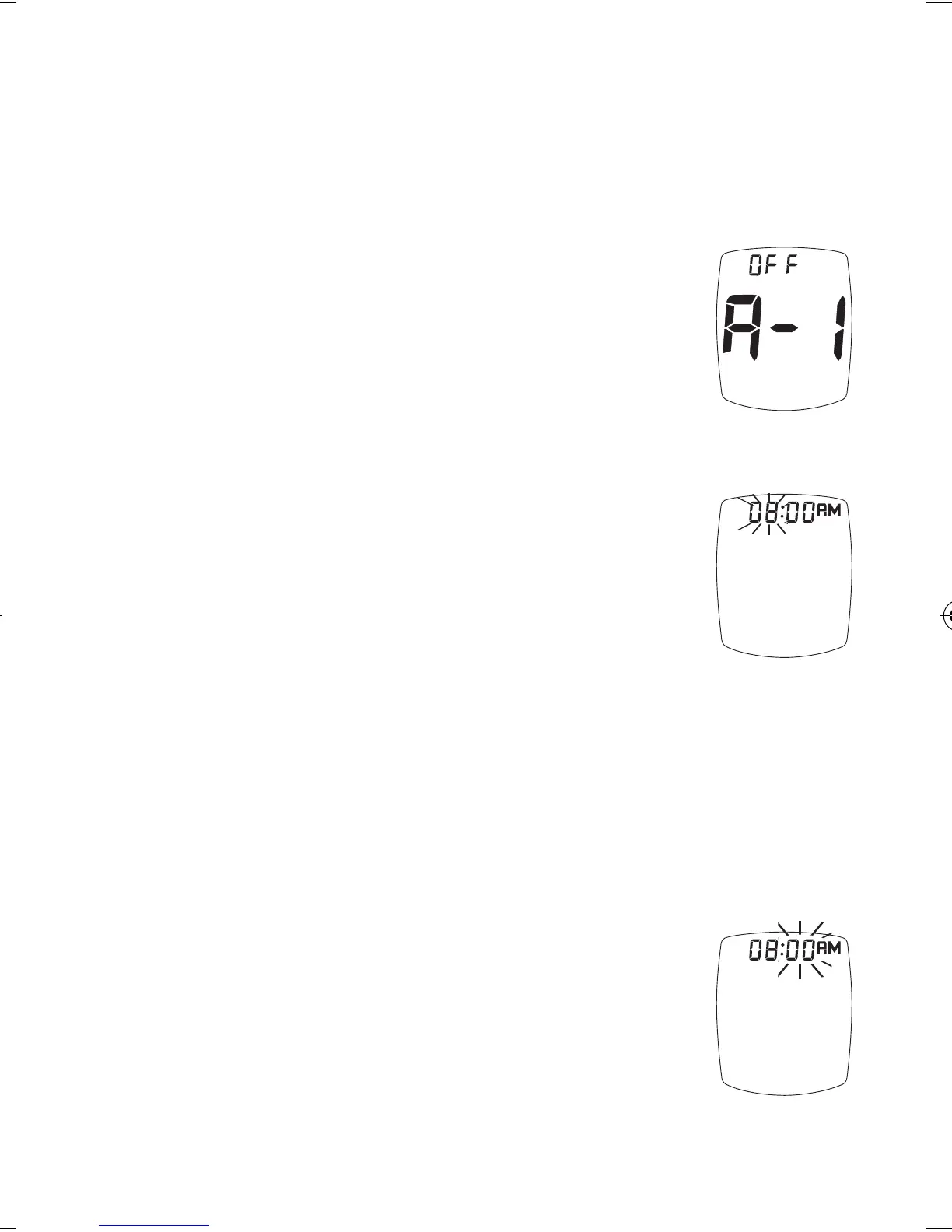
To set the Testing Reminders:
1. Aer pressing “ S ” to set Ketone
Testing Alert, Display shows first
Reminder setting (A-1). Press “ + ”
(on) or “ - ” (o) to turn Reminder
on or o.
2. If “on” is chosen, press “ S ” . e
hour ashes. Press “ + ” or “ - ” to
set the hour. To set AM/PM, scroll
(press “ + ” or “ - ”) until “AM” or
“PM” is next to correct time.
Press “ S “ to set.
Note: “AM” or “PM” will not display if the Meter
is factory set to 24-hour time format.
If “o” is chosen and the “ S ” is pressed,
the Meter goes to the next Testing
Reminder.
3. Press “ + ” (on) or “ - ” (o) to turn
Reminder on or o.
4. e minutes ash. Press “ + ” or
“ - ” to set the minutes.
Press “ S ” to set.
29
Ketone Testing
Alert
Tre_OB_GutsENG_E4NPD04r22.indd 29 4/24/12 9:53 AM



 To Next Page