2.1 CHECK TRACTOR BEFORE
OPERATING
Inspect the tractor for shipping damage. A
thorough visual examination will usually re
-
veal any damage that may have occurred in
transit. Report damage to the proper au
-
thorities so that repairs and claims may be
made.
The tractor is shipped with all fluids except
fuel. As a precaution, however, check all fluid
levels, brakes, electrical system, engine,
steering, axles, and transmission as de
-
scribed in Section 3 and perform the pre
-
scribed lubrication.
2.2 CONTROLS AND INSTRUMENTS
Before driving the tractor, become familiar
with all operating controls and instruments
as described below. Then drive the tractor
without a tow load until you can handle the
vehicle properly.
2.2.1 Operator’s Controls
1. The ignition switch is a rotary type
marked O (off), IGN (ignition), and START.
2. The head and tail light rocker switch
controls the two sealed beam head
-
lights and the tail lights.
3. The rear work light rocker switch con
-
trols the rear work lights.
4. The gear shift lever is on the driver’s
right. It permits selection of forward or
reverse gears and a neutral position.
IMPORTANT: If the shift lever is moved
from the neutral position with the parking
brake applied, the engine will shut down.
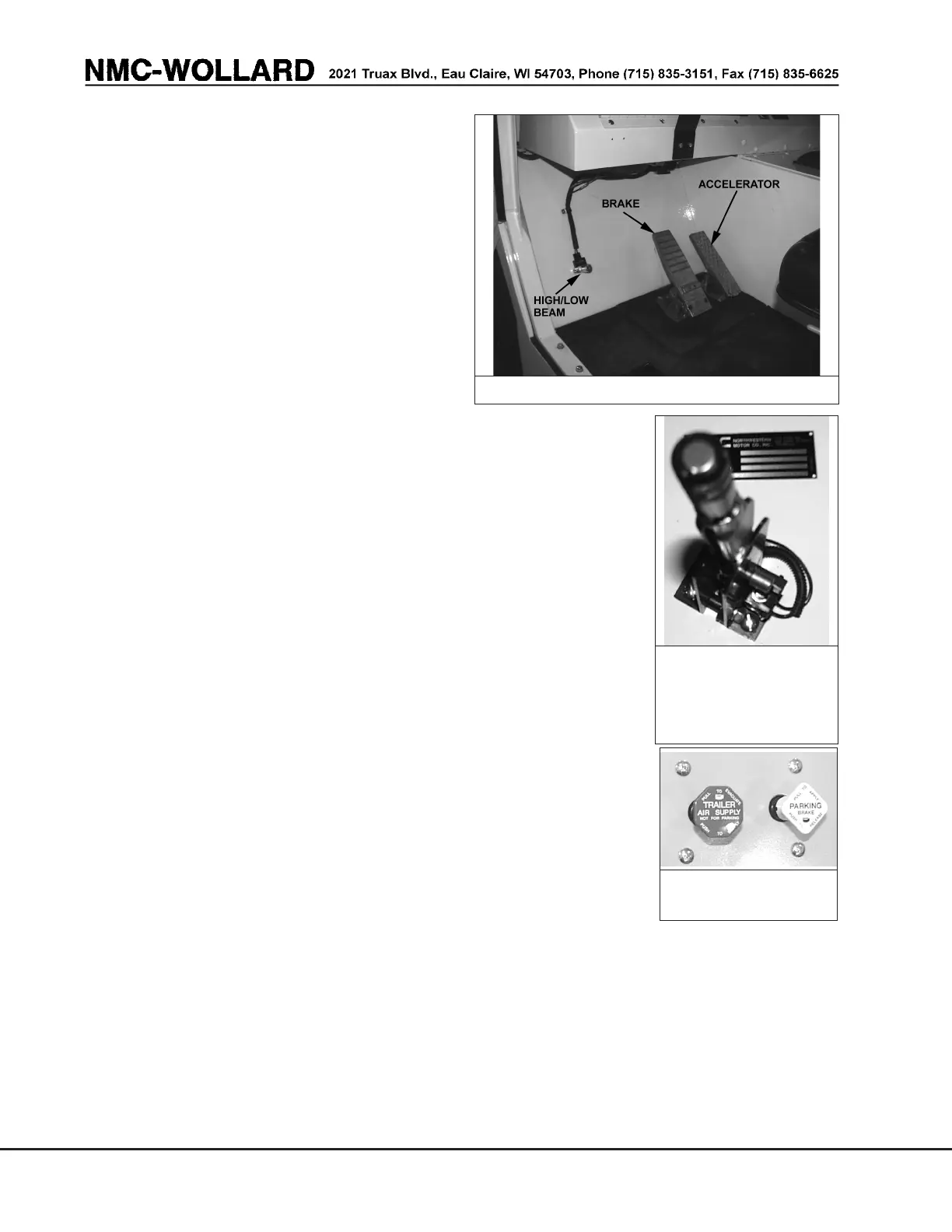
5. The accelerator pedal is to the right of
the brake pedal and is connected by
mechanical linkage to the carburetor.
6. The service
brake pedal is
to the left of the
accelerator
pedal. Pushing
this pedal also
applies air
brakes to a trailer
if so equipped.
Hydraulic brakes
have accumula-
tors which store
energy and al-
lows several
brake applica
-
tions after the en
-
gine is off.
7. The park brake
lever (for Tractor
w/Hydraulic
Brake) is on the
dash to the right of
the driver. It must
be pushed forward to disengage the park
brake. See Section 8.9 for adjustments.
The park/emergency brake button (for
Tractor w/Air Brake) is to the right of the
instrument panel. It must be pushed in to
disengage the park brake. Pull out to en
-
gage. See figure 2-3.
PAGE 2-2
NOVEMBER 30, 2005
FIGURE 2-1. FOOT CONTROLS
FIGURE 2-2.
HYDRAULIC
PARKING BRAKE
LEVER
FIGURE 2-3. AIR
PARKING BRAKE


 To Next Page