22
Reviewing and Setting Volume and Alarm Limits
Recalling Previous Settings
The digital pulse oximeter includes a feature that allows recall of the
operator-adjusted settings in use when the device was last turned off. The
following settings are recalled when this feature is activated:
•SpO
2
high and low alarm limits
• Pulse rate high and low alarm limits
• Alarm volume settings
Previous operator-adjusted settings can be recalled by pressing the
Limits button while the unit is on. “
rCL” appears, indicating that previous
alarm limit settings may be recalled. To recall the settings, press the Plus
button and select “
yES.” Press the Limits button again to accept the
recall and return to normal operation.
NOTE: The recalled value for the SpO
2
low alarm will not be less than the current
default.
Error Codes
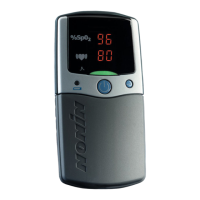
This device includes error codes that indicate problems with the unit. Error
codes are indicated by “
Err” in the %SpO
2
display, and a capital “E”
followed by a 2-digit code in the pulse rate display. To correct error
conditions, perform the following steps:
1. Turn the unit off and then back on again to remove the error code.
2. If the error persists, disconnect all power, and then reconnect the
power and turn the unit back on.
If the error still persists, note the error code and contact Nonin Customer
Support at (800) 356-8874 (USA and Canada) or +1 (763) 553-9968
CAUTION: Review all limits to ensure they are appropriate for the patient.
!



 To Next Page