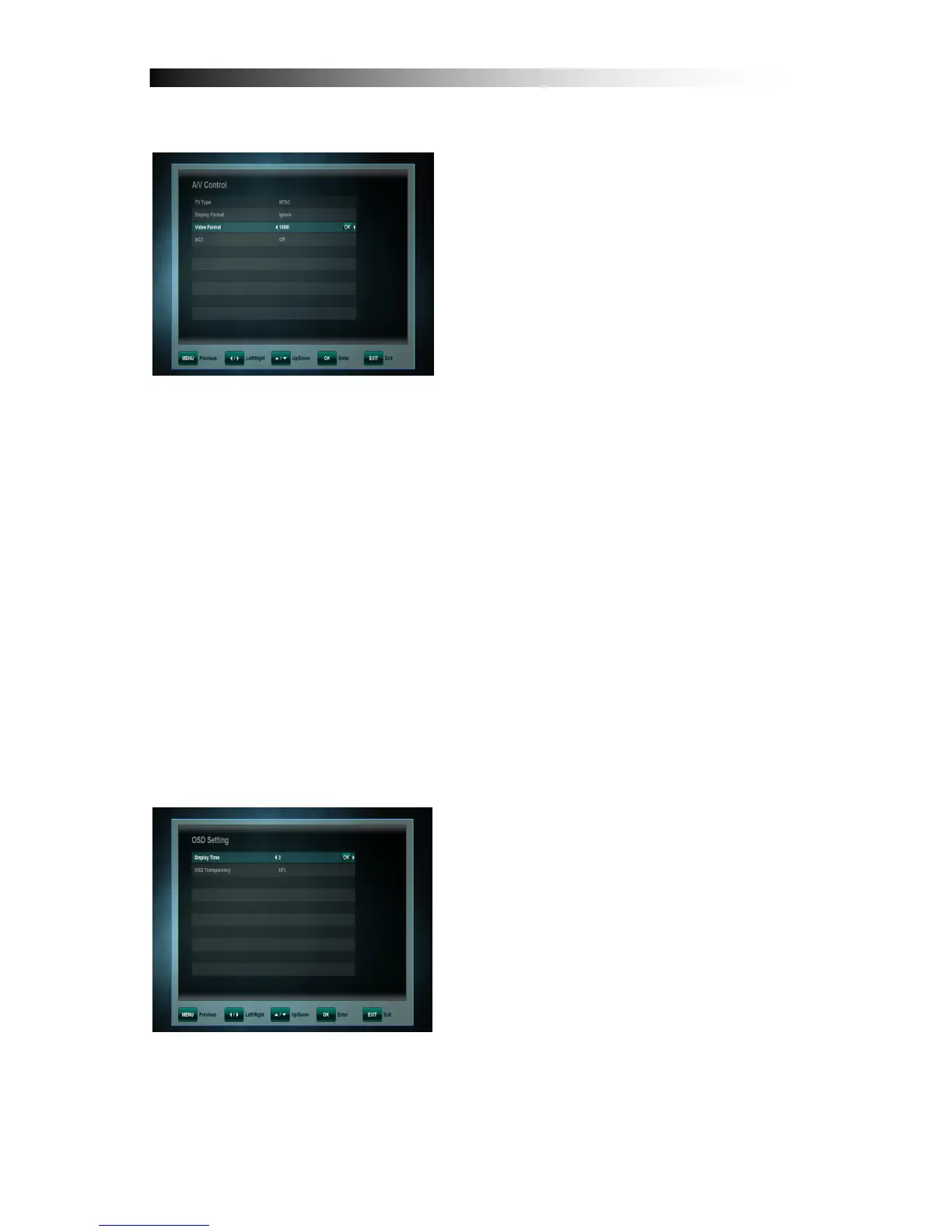
10. 4 A/V Control
In the Audio/video menu, you can modify
the properties of the audio and video
signals to suit your TV and audio
equipment.
• TV Type: User can select the video format consistent with your TV
• Display Format: The options are:
- Pan & Scan: The receiver interprets pan & scan vectors encoded in the
Programme and crops the 16:9 input signal for display on 4:3 TV.
- Letterbox: In this mode the original aspect ratio of the 16:9 input video
signal is preserved, thus there are vertical black bars on the top and
bottom of the screen.
- Ignore: Use this setting, if your TV set handles the aspect ratio
conversion.
• Video Format: Please choose from the available resolutions 1080p / 1080i
720p or 576p – for 1080p you will need to confirm with the “1” key – a TV set
that does not support 1080p (Full-HD) will not be able to display this setting.
• AC3: Choose Digital Audio Output between Off, SPDIF and SPDIF + HDMI
10. 5 OSD Setting
You can adjust the display time (time of
the appearing of the info bar) and the
OSD transparency (in %) on top of video
signal of the receiver.
.


 To Next Page