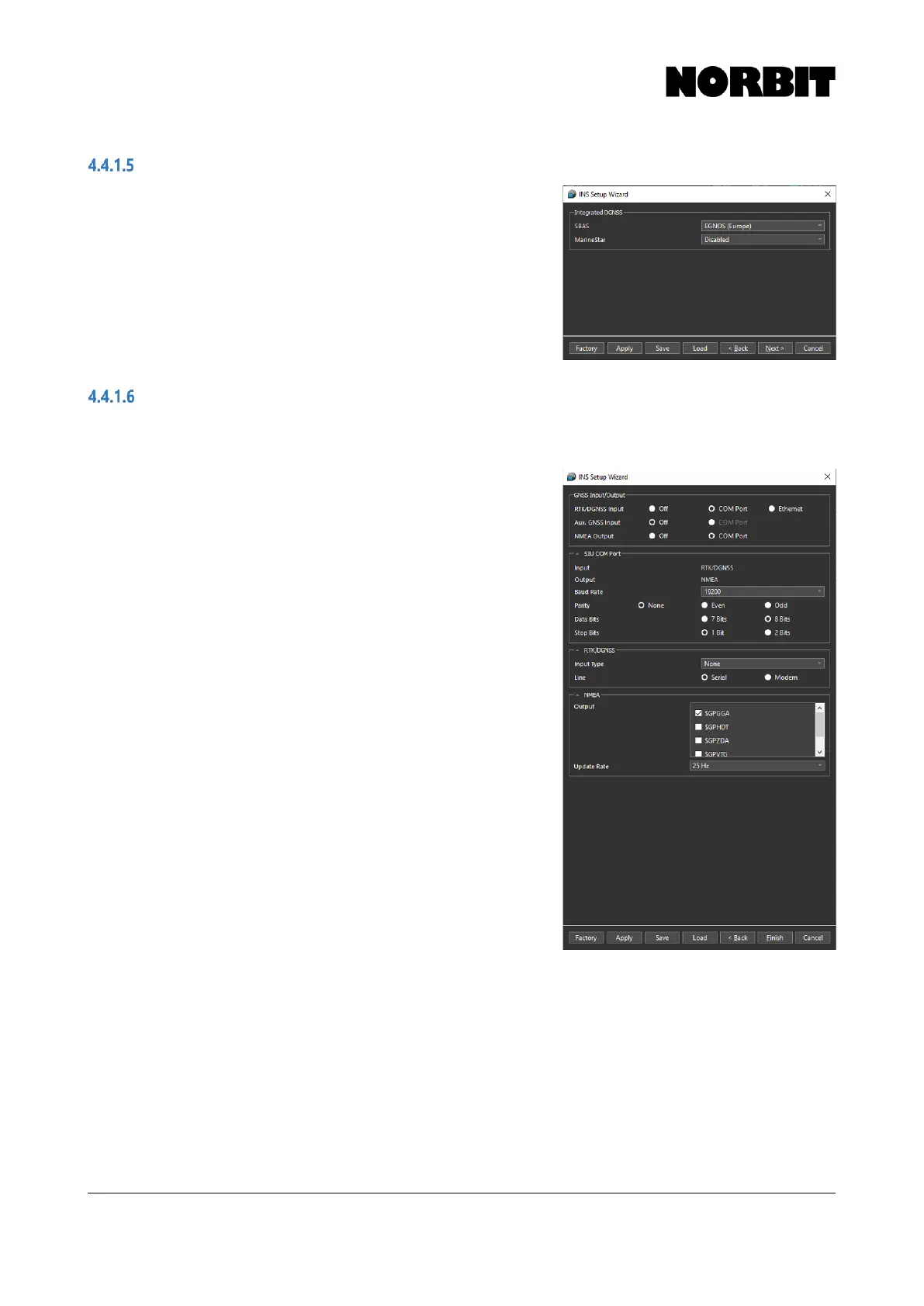
Integrated DGNSS
The Integrated GNSS page of the setup wizard allows
users to specify the desired satellite GNSS correction
service. Satellite Based Augmentation Service (SBAS)
may be configured here. This is a correction source that
is regional and free.
Alternatively, Marinestar, a paid subscription service
providing decimeter accuracy, may be selected. Refer to
section 4.4.5 for details on activating a subscription.
RTK/Aux GNSS Input & NTRIP Client
If no RTK or auxiliary GNSS is interfaced, select Off for each input. Otherwise, select the signal
input source (COM port or Ethernet). Depending on the selections made, additional options may
become available.
RTK corrections may be transmitted to the vessel from a
land base station, via radio, and interfaced to the system
via the serial COM port on the SIU. The radio on the
vessel must therefore have a serial output, containing
only the correction message. The incoming radio baud
rate must match with the selection in the setup wizard.
Select the correct RTK Input Type (CMR, CMR+, CMRx,
RTCM, etc.) as well as the input Line, either Serial or
Modem. Please note that if an input type other than None
is selected, the INS only uses GPS satellites, so it will
likely result in fewer satellite vehicles being detected.
Selecting None enables the INS to use additional
satellites from other constellations such as GLONASS.
Select the desired NMEA output messages. If using a
radio link to receive corrections, you may need to set this
output to Off to avoid issues related to decoding the
correction message from the radio’s output.
When an external GNSS system is used, select Aux.
GNSS Input. Then enter the offset to the auxiliary
antenna phase center. It is important to note that this
offset must be measured from the WBMS Ref. Point (see
section 3.1) to the phase center of the auxiliary antenna.
When the auxiliary system is connected, the INS
compares its own solution against the quality of the
auxiliary solution and automatically selects the best.



 To Next Page