Installation and Owner’s Manual 5
Refrigerator Maintenance
Gas ame appearance:
While in GAS operation, examine the appearance of the gas ame:
- Turn the temperature switch to the COLDEST position.
- Open the lower intake vent.
The burner box cover can be hot. Wear gloves to avoid burns.
- Remove the burner box cover by removing the screw.
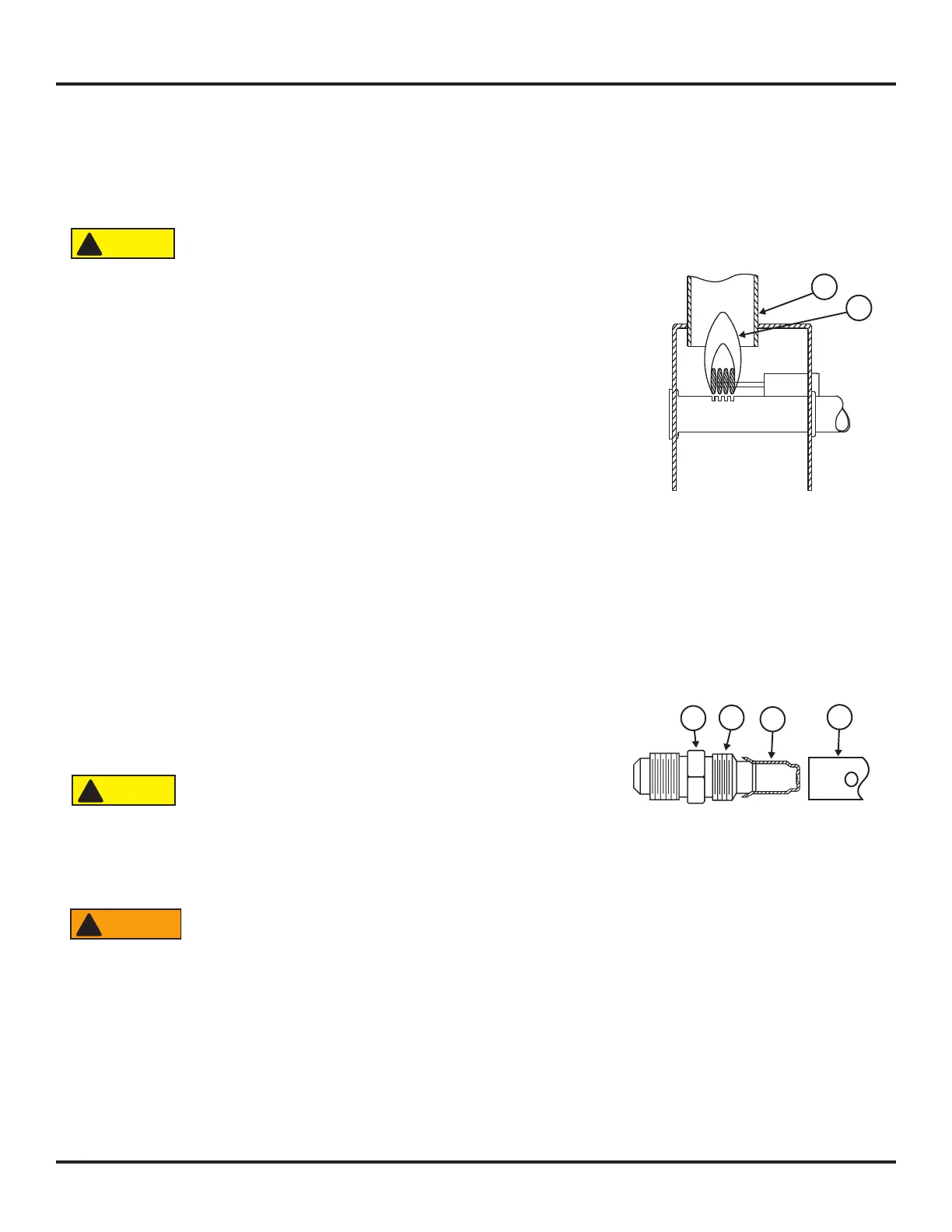
- Look at the gas ame [75] (See Art01605).
- The ame should be:
- a darker blue color on the inside of the ame and a lighter blue color on the
outside of the ame.
- a constant shape without ickering.
- Contact your dealer or Norcold authorized service center if the ame is:
- yellow
- ickering or changing shape.
- Make sure the ame does not touch the inside of the ue tube [76].
- If the ame touches the inside of the ue tube, contact your dealer or Norcold authorized service center.
- Close the burner box door.
Remove and clean the burner orice:
Your dealer or Norcold authorized service center must do this procedure.
Remove and clean the burner orice (See Art00956):
- Close the valve at the propane gas tank(s).
- Push and release th ON/OFF button to shut down the refrigerator.
The burner box cover can be hot. Wear gloves to avoid burns.
- Open the lower intake vent.
- Remove the drip cup by removing the screw.
- Remove the burner box cover by removing the screw.
To avoid possible propane gas leaks, always use two wrenches to loosen and tighten the gas supply line
connections.
- Remove the are nut from the orice assembly [77] (See Art00956).
- Remove the burner [78] from the orice assembly.
75
76
Art01605
Art 00956
77
78
79
80
CAUTION
!
CAUTION
!
WARNING
!



 To Next Page