17
E A S Y R E M O T E N O R D G A S
USER
Subject to the type of boiler con-
nected, some of the following modes
may not be available.
To set the clock and the temperature set
points of this remote control device and of
the boiler press key several times.
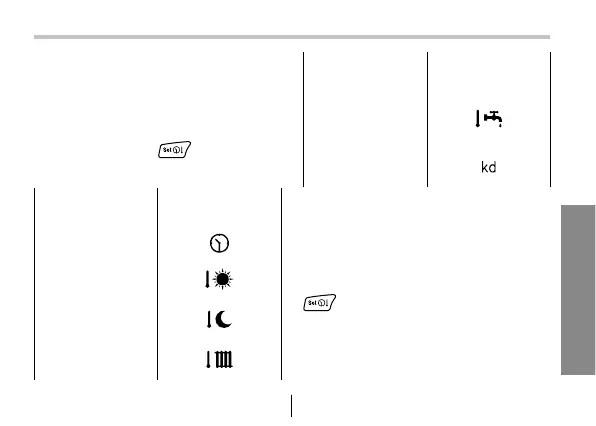
The menu is as follows:
8 - Setting up clock and temperature
SELECTED
STATUS
ID ICONS
CLOCK
TEMPERATURE
DAY
TEMPERTURE
NIGHT
HEATING
TEMPERATURE
SELECTED
STATUS
ID ICONS
DOMESTIC
HOT WATER
TEMPERATURE
KD OUTSIDE
PROBE
In place of the time, the quantity value
is displayed in the lower left corner. Its
identifying icon will be blinking. In order
to conclude the setting phase press key
several times until all identifying
icons are off.


 To Next Page