26
E A S Y R E M O T E N O R D G A S
USER
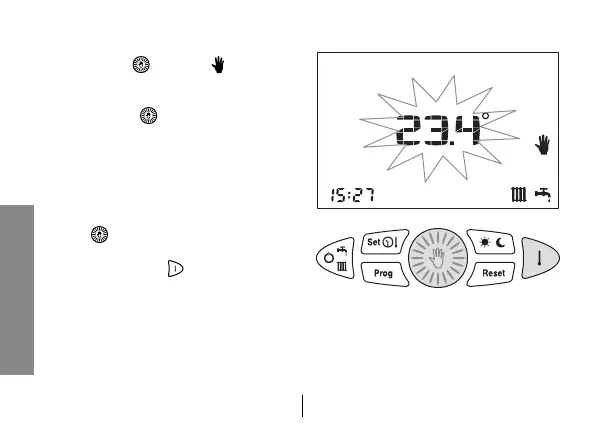
9.1 - MANUAL operation
1. Press key
until icon appears.
The central digits on the display will
show the set temperature blinking.
2. Turn button to set the temperature
you want.
3. After 30 secs the central display will
go back to showing the current tem-
perature.
4. The set temperature can be changed
again at any moment by turning but-
ton
.
5. The set temperature can be displayed
by pressing key .


 To Next Page