43
E A S Y R E M O T E N O R D G A S
USER
Faults or other technical reasons may
require ‘complete resetting’ of the remote
control device.
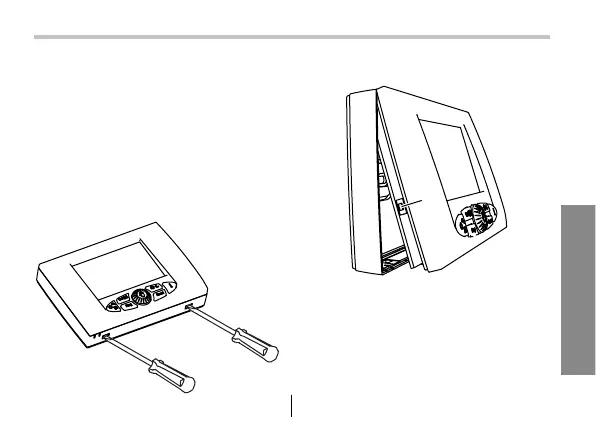
For this operation the remote control
device must be taken off its fixing tem-
plate - do this by gently pressing with a
screwdriver on the lower splines.
16 - Complete resetting
Thereafter press key (1).
After doing a “complete reset” the
time and day of the week must be set
again.
1


 To Next Page