34
E A S Y R E M O T E N O R D G A S
USER
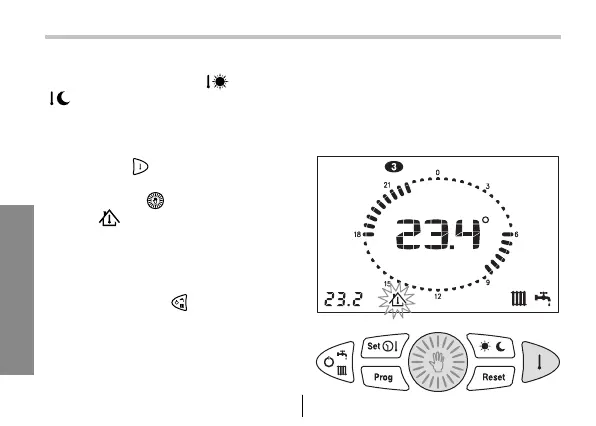
When operating in AUTOMATIC mode
the room set point DAY (
) / NIGHT
( ) can be increased or reduced. The
change will be valid until the next level
change (DAY-NIGHT) takes place. There-
after it will be void.
1. Press key
to display the set room
temperature.
2. Turn button to select the value.
Icon will blink for the time of the
change and shows that the change of
the set point has been made.
If you want to disable the function before
it has expired, disable the heating func-
tion by pressing key .
12 - Temporary change room temperature set point


 To Next Page