29
E A S Y R E M O T E N O R D G A S
USER
10.1 - Display heating program
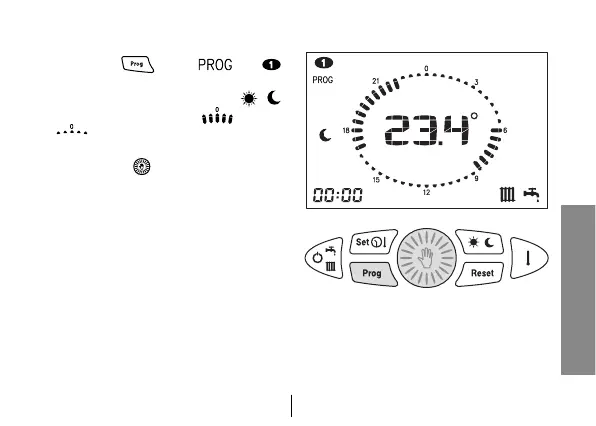
1. Press key
. Icons and
will appear on the display and show
the first day of the week. Icons /
and the jumper are ON or OFF
matching the DAY / NIGHT level
of the displayed time.
2. Turn button in order to scroll the
times of the day and to move from
one day to another.


 To Next Page