18
To connect the printer to a Wi-Fi network
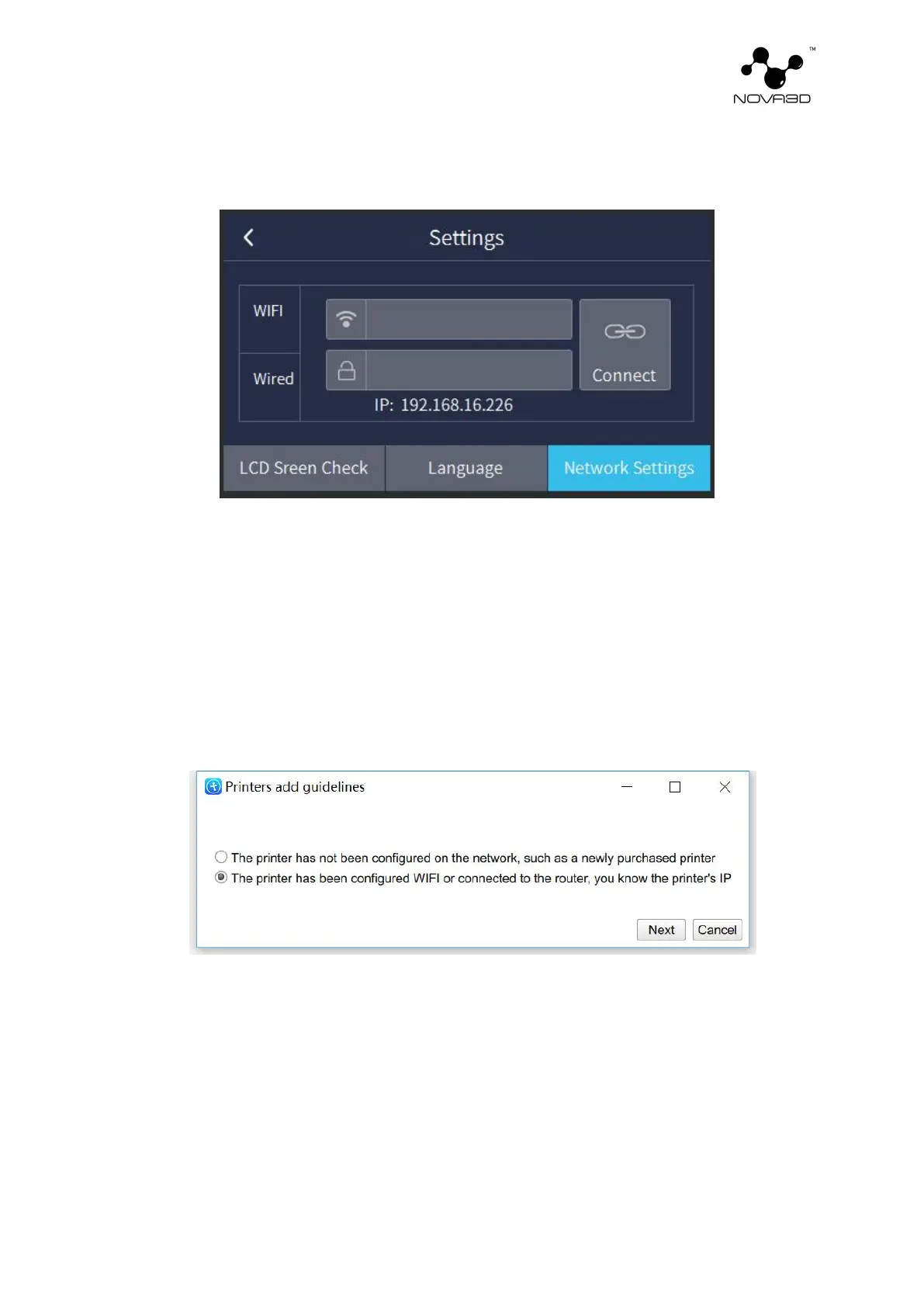
After setting WiFi connection in "Network Settings" on the device, enter the printer
management interface on the computer according to the current IP address. Click "+" to pop up
"printer add guidelines" and select the second item (the printer has been configured with
WiFi...) as shown in the figure, next input the current IP address and then until the wireless
addition is successful.
Once your printer is connected to the network, open the My Devices panel in NovaMaker.
You can search for devices available in the local network and add them to the program’s panel.
Select the icon with your printer’s IP address and click on it to go to the selected printer details
page.


 To Next Page