21
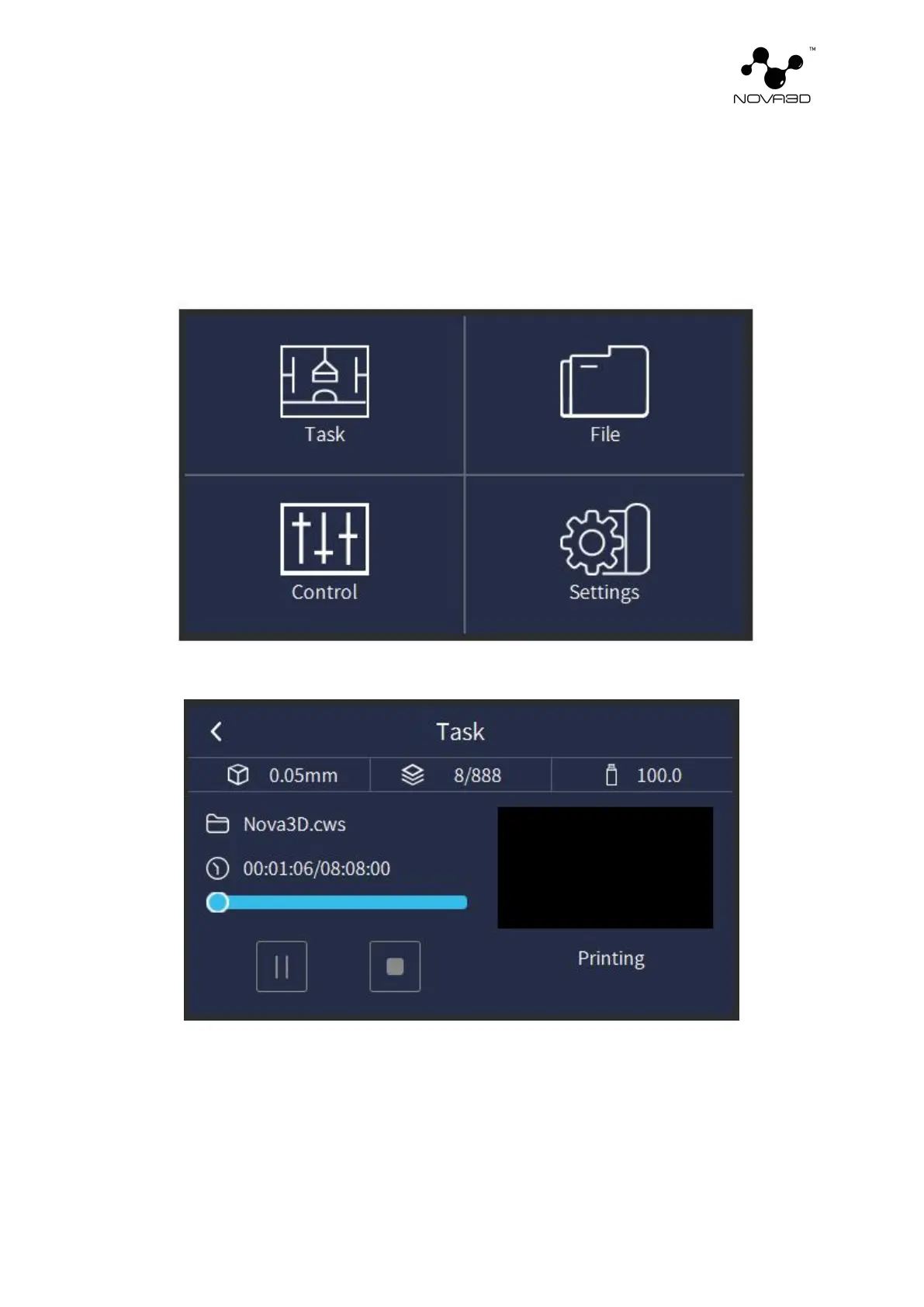
8. Navigating Through the Menu
The main menu is divided into four icon corresponding functions: Task, File, Control and
Settings.
Task
1. Print details: layer thickness of model slices , current layers of printing and total layers
of slices, estimated amount of resin consumed for printing, file name, printing progress
(including completed time and total time) and current printed picture.
2. Control: Pause, Start, and Stop functions.


 To Next Page