20
7. Firmware Update
If your printer is connected to the Internet using either Wi-Fi or an Ethernet cable, it
automatically checks for available firmware updates and starts the installation process. You can
also manually check whether there is an updated firmware version. After opening the
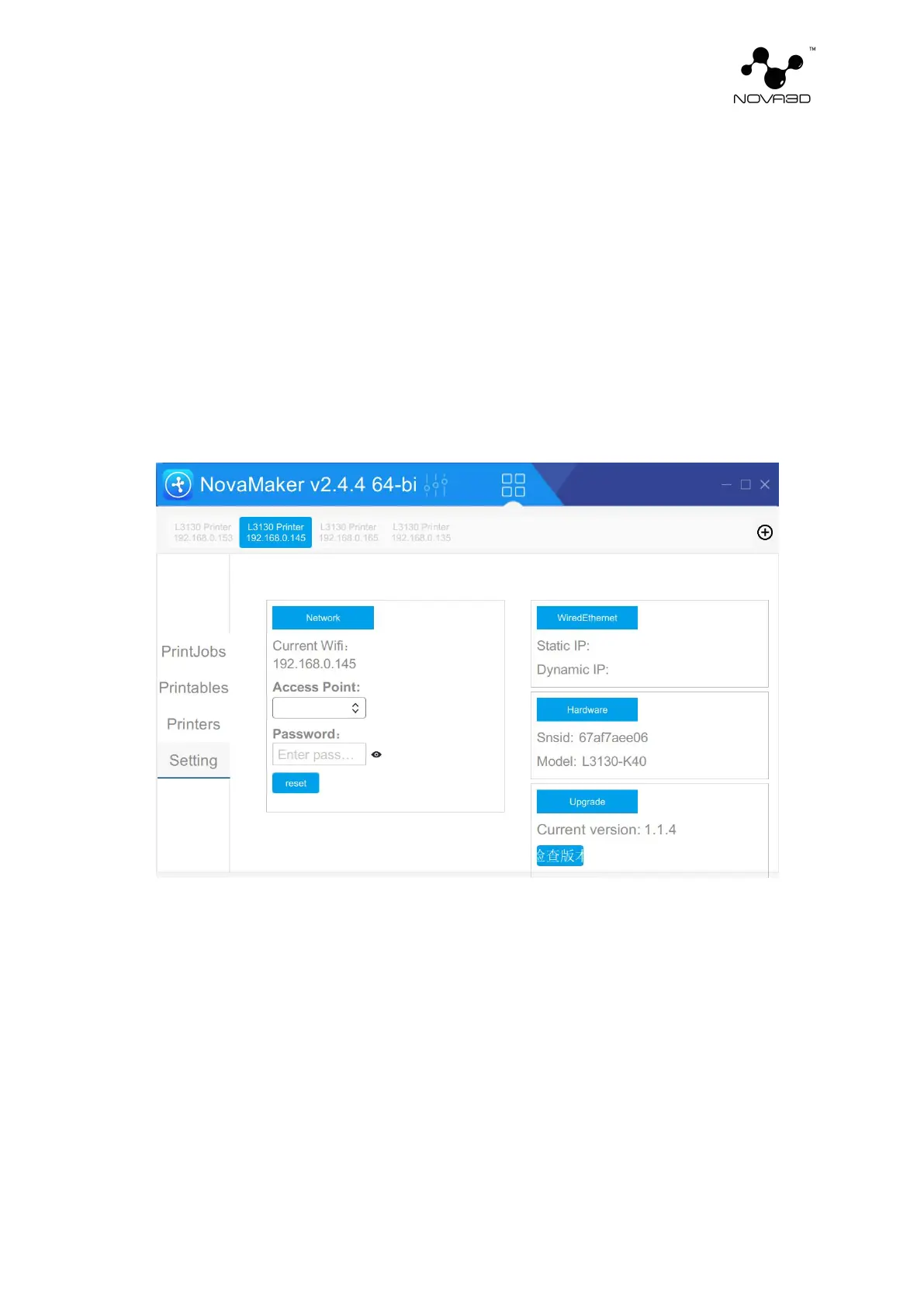
NovaMaker software, select setting -> upgrade -> check the version. If there is a new version,
there will be a prompt of "click upgrade". (as shown below)


 To Next Page