深圳市诺瓦机器人技术有限公司
Shenzhen Nova Robot Technology Co., Ltd.
41
10. Starting and Post-Processing
Caution!
Wear gloves and glasses during all procedures!
Printing and post-processing waste, including empty bottles, failed prints, supports, rafts
as well as paper towels with resin residues should be put in the UV Station or in any source of
UV light before disposal. Uncured resin has to be disposed of in accordance with national and
local regulations concerning hazardous waste.
a. Preparation for Printing
Check the LCD screen for proper operation
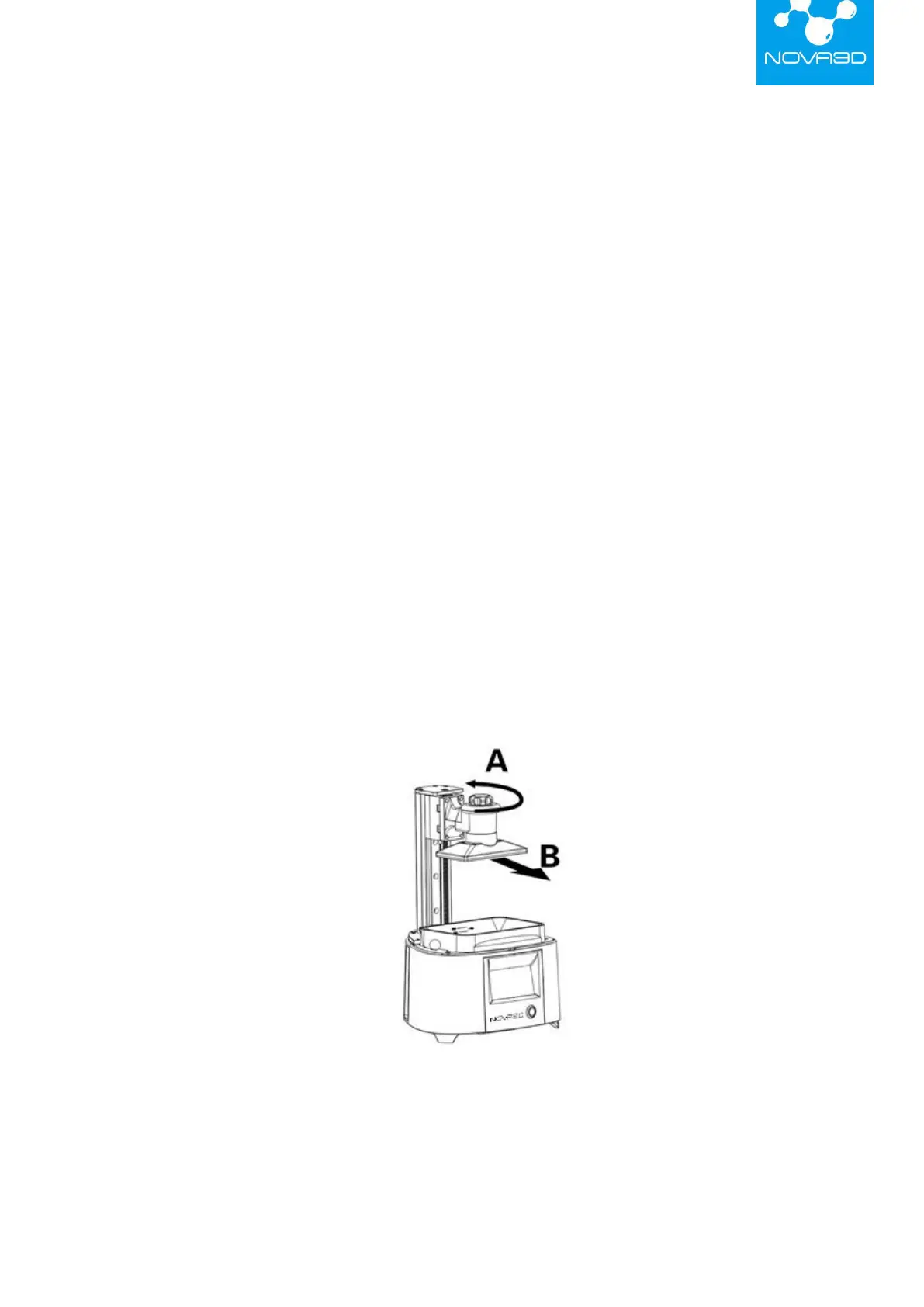
Remove the platform (as shown in the picture below), loosen the fixed knob above the platform,
and hold the top of the platform with your hand to pull it out .Click the "Settings" of the home
page, enter the "LCD Screen Check" , and then check the LCD screen for proper operation
according to the prompt.


 To Next Page