MX30 LED Display Controller User Manual
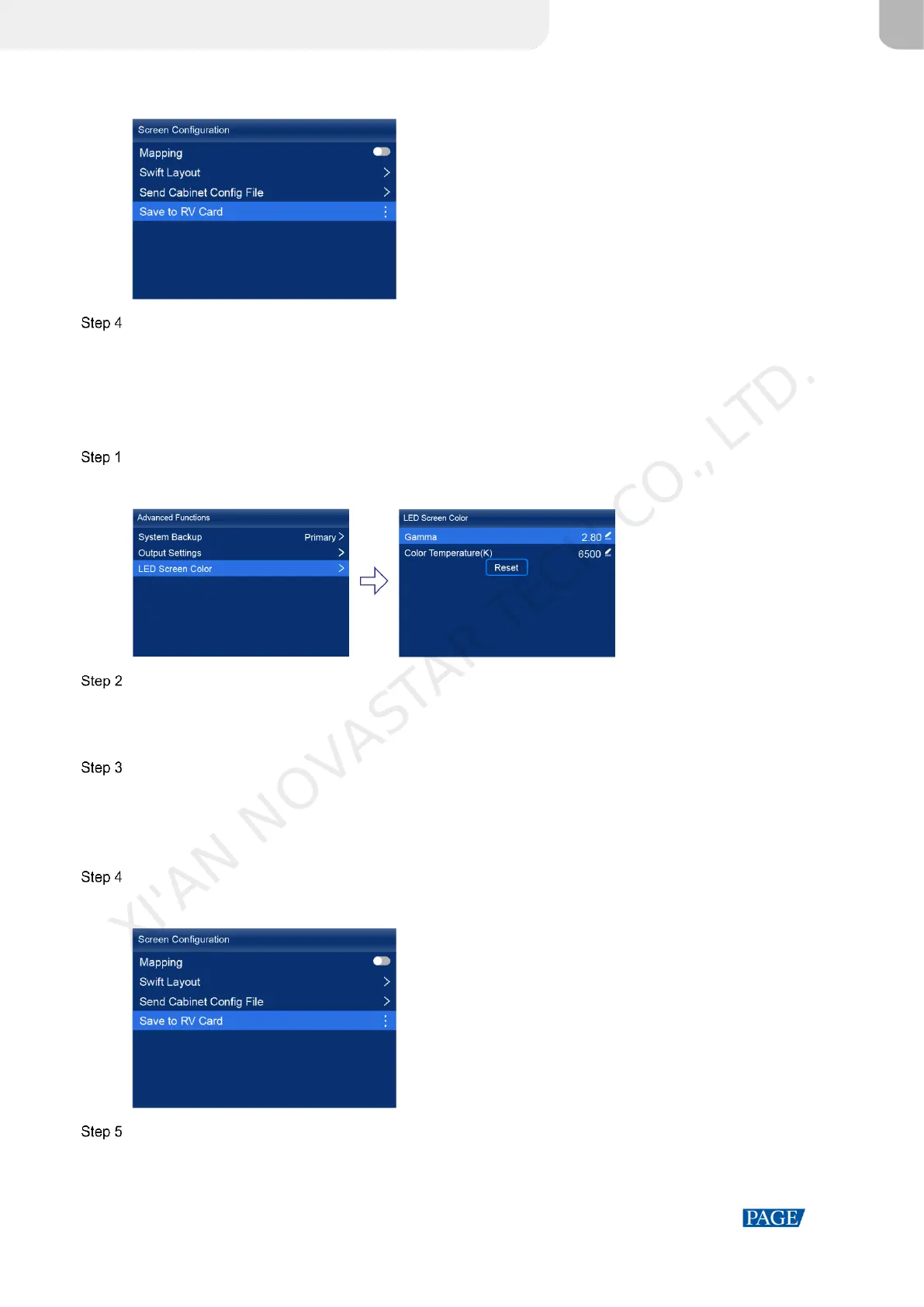
Figure 6-9 Save to RV card
Select Yes in the displayed dialog box.
After the brightness value is successfully saved, a message appears on the menu screen.
6.4.2 Adjust Gamma and Color Temperature
Adjust and save the Gamma and color temperature.
On the main menu screen, choose Advanced Functions > LED Screen Color.
Figure 6-10 LED screen color
Adjust the Gamma value.
1. Select Gamma and press the knob to let the value become editable.
2. Rotate the knob to adjust the Gamma to the target value, and then press the knob to confirm.
Adjust the color temperature value.
1. Select Color Temperature and press the knob to let the value become editable.
2. Rotate the knob to adjust the temperature to the target value, and then press the knob to confirm.
If you want to restore the parameters to the defaults, select Reset.
Press the BACK button to go back to the main menu, and then choose Screen Configuration > Save to RV Card.
Figure 6-11 Save to RV card
Select Yes in the displayed dialog box.
After the values are successfully saved, a message appears on the menu screen.
XI'AN NOVASTAR TECH CO., LTD.



 To Next Page