MX30 LED Display Controller User Manual
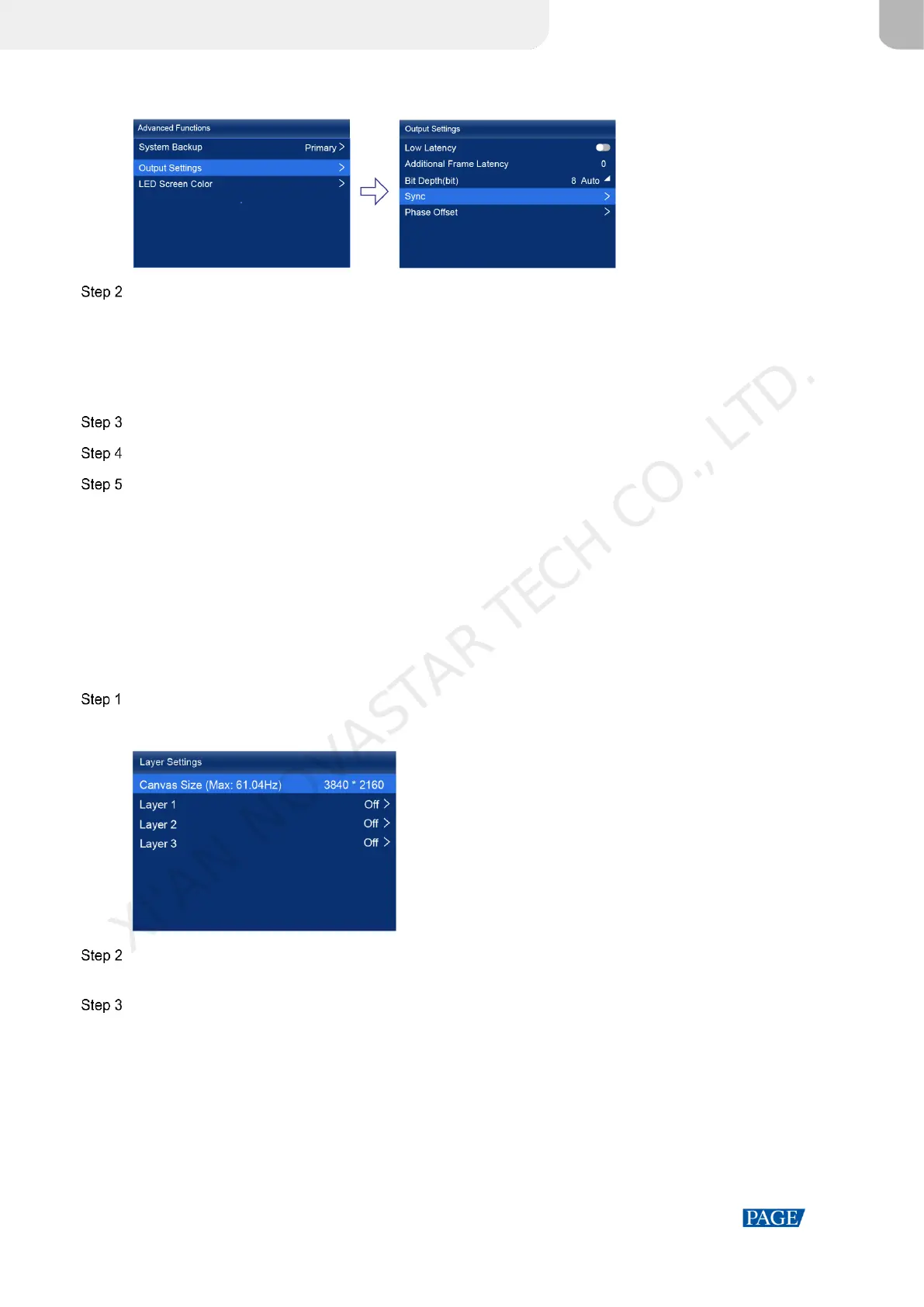
Figure 6-14 Sync
Select Sync Source and then select the desired sync source from the drop-down options.
Active Source: Sync with the frame rate of the active source.
Genlock: Sync with the frame rate of the Genlock signal.
Internal: Sync with the frame rate of the controller's internal clock. When this option is selected, a related
parameter Frame Rate is displayed. You can select a value from its drop-down options.
Press the BACK button to go back to the upper level menu.
Select Phase Offset.
Choose Adjustment Mode and then select the desired mode from the drop-down options.
Off: Turn off the phase offset function.
Angle: The related parameter Angle can be set.
Fraction: The related parameter Fraction can be set.
Absolute: The related parameters Lines and Pixels can be set when the sync source is Active Source.
6.5 Set Layers (Alll-In-One Controller Mode only)
When the device working mode is All-In-One Controller, set the canvas size and the layers (up to 3) on the canvas.
On the main menu screen, select Layer Settings.
Figure 6-15 Layer settings
Select Canvas Size to enable the value editing status. Rotate the knob to change the value and press the knob to
confirm the value.
Select a layer and set the related parameters.
Status: Turn on or off the layer.
Input Source: Select an input source.
On the home screen, the number of the layer that is using this input source is displayed in the input source
information area.
Scaling Mode: Set the scaling mode.
− Custom: Customize the width and height.
− Pixel to Pixel: Same as the width and height of the input source
XI'AN NOVASTAR TECH CO., LTD.



 To Next Page