User Manual of 3D Video Controller
www.novastar-led.cn 12
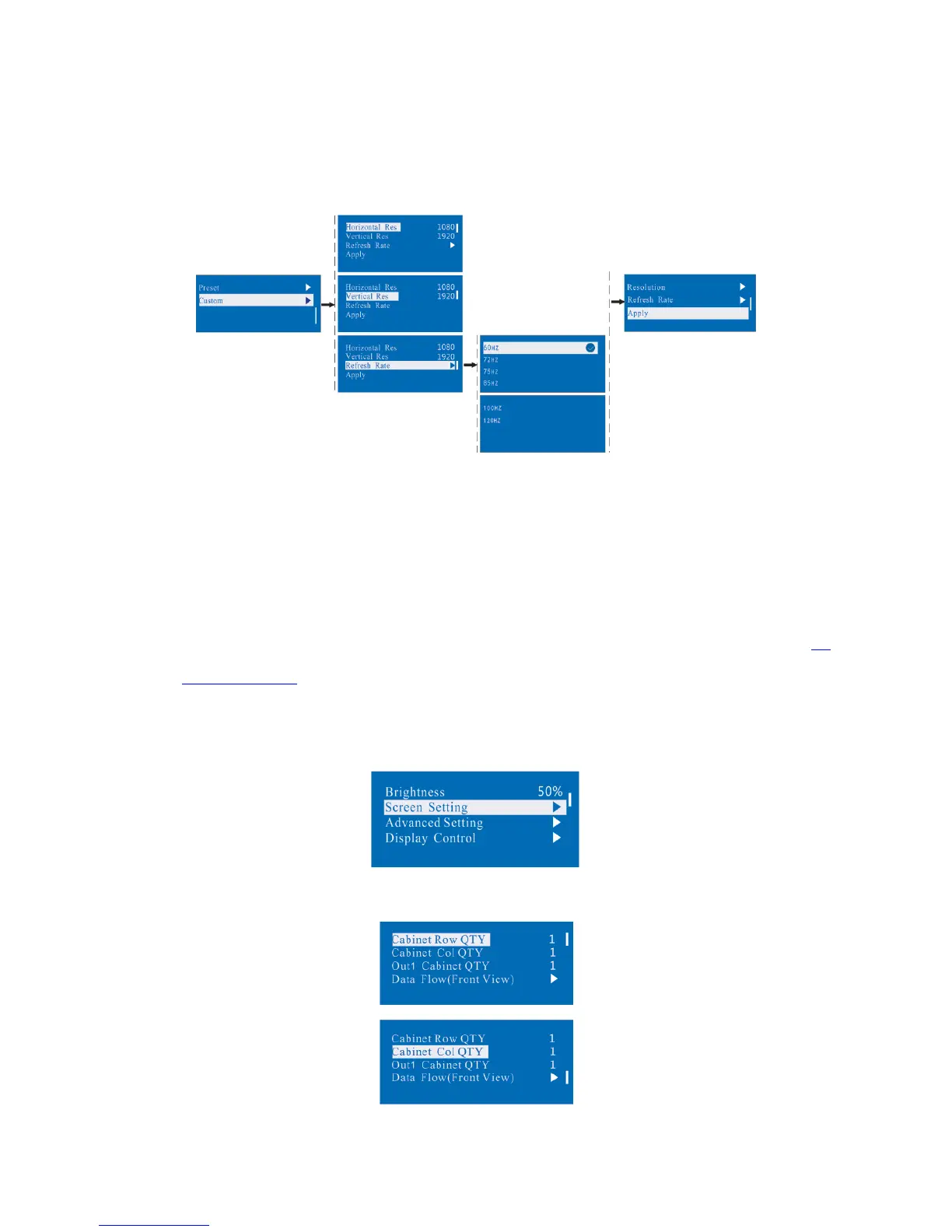
Method 2: Custom
Set Horizontal Res, Vertical Res and Custom refresh rate and then select "apply" and press the knob for
application. If the application is not confirmed, custom resolution is invalid.
8.2 Step 2: Screen setting
The precondition of Screen setting in shortcut is that the screen must be regular rectangle (not special-shaped),
cabinet must be regular rectangle and the size of each cabinet are identical.
Step 1 The screen being power-on, if the cabinet is in normal display, enter into step 2); if the cabinet is in
abnormal display, first load the cabinet file, and save it to the receiving card; see detailed operation in
8.4
Advanced Setting .
Step 2 Return to the “Screen Setting” submenu. Rotate the button to switch to submenus of other options
respectively to perform configurations, as shown in the following figures:
Step 3 Set
Cabinet Row QTY and Cabinet Col QTY according to the actual situation of the screen.



 To Next Page