User Manual of 3D Video Controller
www.novastar-led.cn 7
Product feature:
1) It adopts the output of standard 3D video;
2) It adopts an innovative architecture to implement smart configuration; the screen debugging can be
completed within 30 seconds
3) It adopts the Nova G4 engine; the screen is stable and flicker free without scanning lines; the images are
exquisite and have a good sense of depth
4) Support Single/Dual-link DVI , HDMI 1.4 specification;
5) HDMI audio input/external audio input;
6) The looping out of Dual-link DVI LOOP can realize synchronized monitoring;
7) Loading capacity: 2560x1600@60Hz, 3840x1080p@60Hz, 1080p@120Hz,4Kx2K@30Hz
8) The switch between 3D and 2D can be realized with one button;
9) It can be used without computer and is equipped with screen at any time;
10) The display brightness can be manually adjusted for convenience;
11) It supports new point by point correction technology of Nova; therefore, the correct ion is quick and efficient;
12) Deep color; multi-resolution; 16bit image processing; 1 billion kinds of color performance; all resolution within
4K*2K@30HZ is supported;
13) Formats all single-link DVI digital formats up to 165Mhz, Dual-link DVI formats up to 330Mhz;
14) It supports serial interface, USB and standard Ethernet communication; uniform control can be conducted for
multi-computer cascade.
4. Appearance
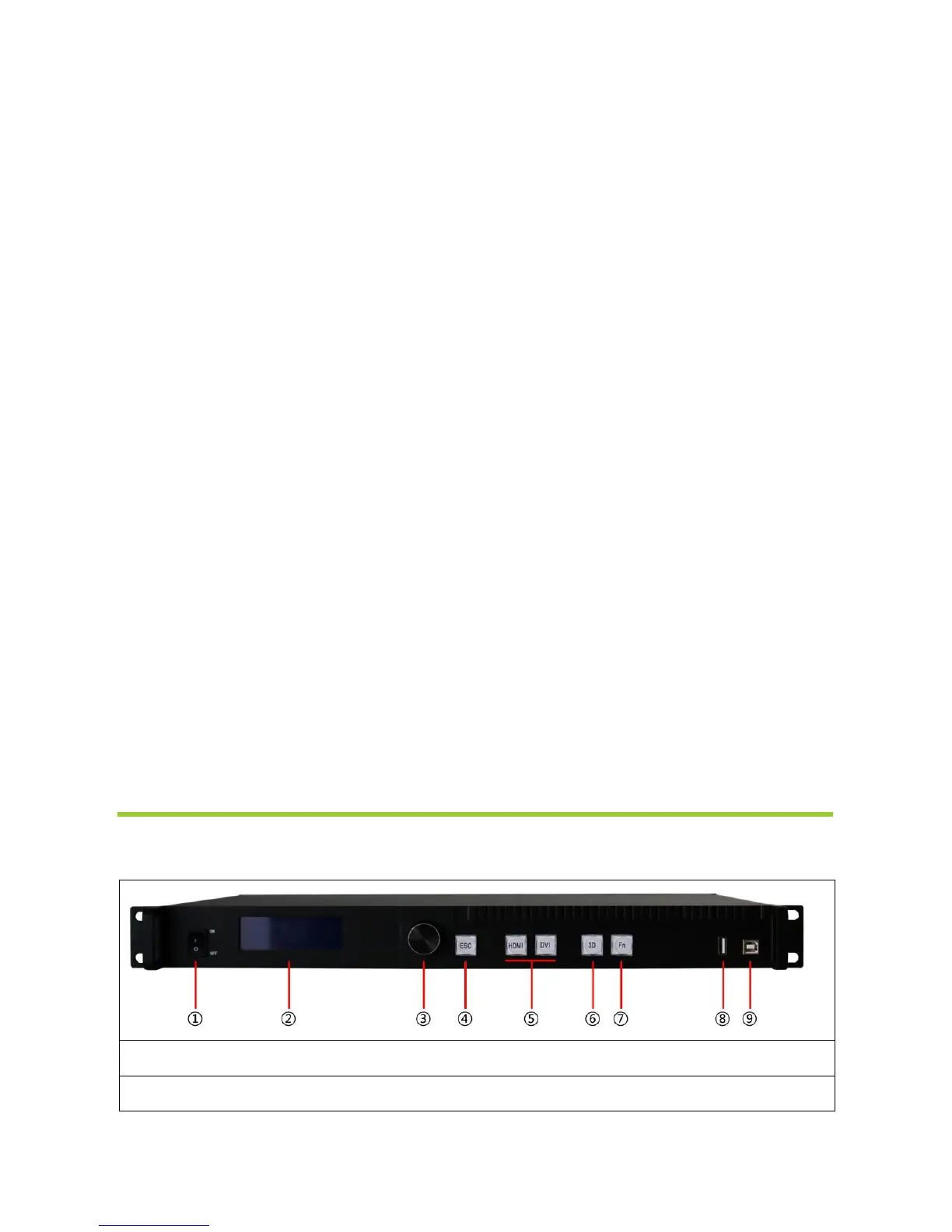
4.1 Front panel



 To Next Page