User Manual of 3D Video Controller
www.novastar-led.cn 9
5. Signal connection
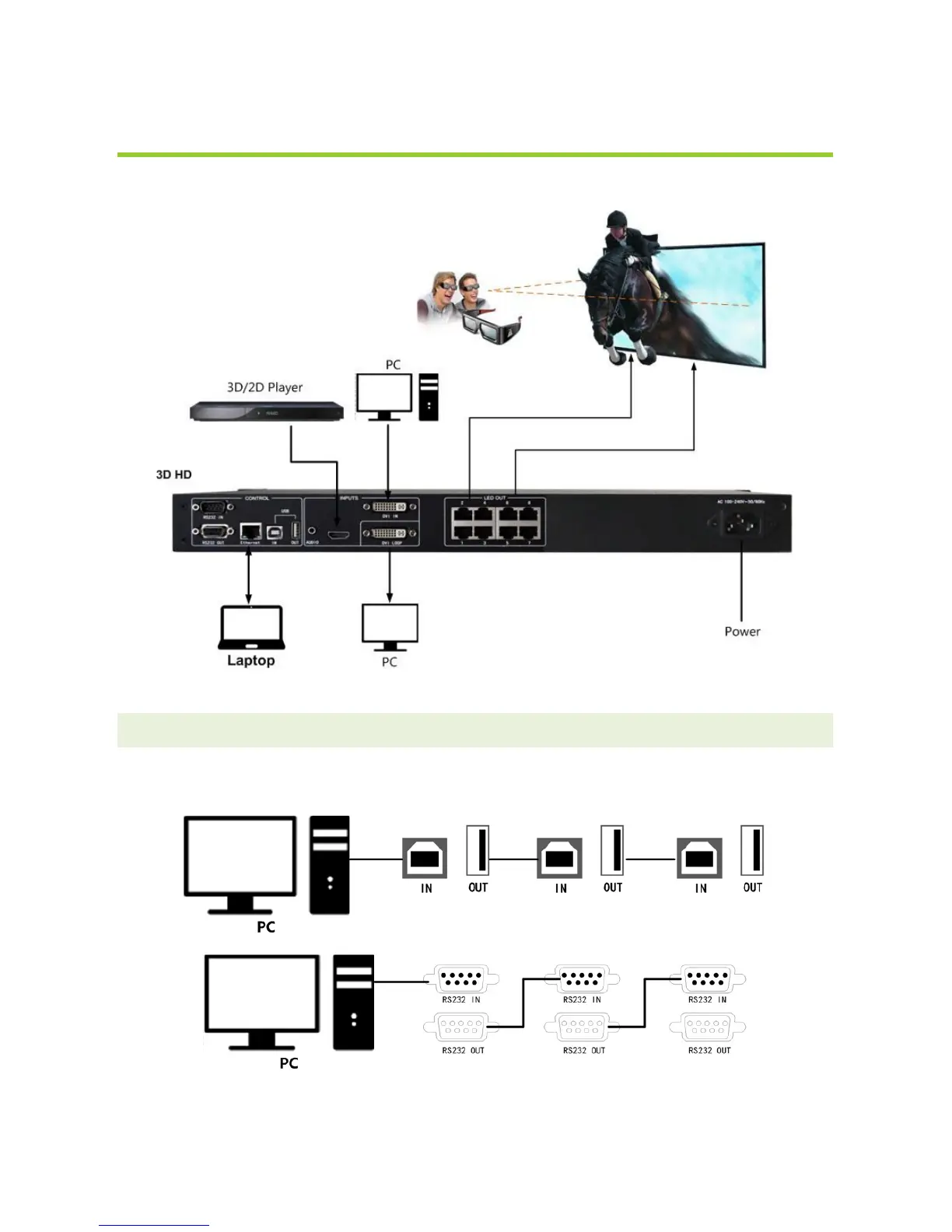
Connect the required hardware equipment reference with the interface descriptions of the previous chapters.
Fig. 5-1 3D HD Signal connection
Tips: It's must to turn-off Power before signal connection.
If it is required to control more than one sets of 3D HD, please connect them according to the following figure.
Fig. 3-2
Multiple 3D HD cascade



 To Next Page