VX16s All-in-One Controller
User Manual
5.2.5 More Settings
Step 1 Press the knob to enter the main menu screen.
Step 2 Rotate the knob to choose Screen Settings > More Settings, and then press the knob to enter the submenu,
including Mapping and LED Screen Color.
Mapping
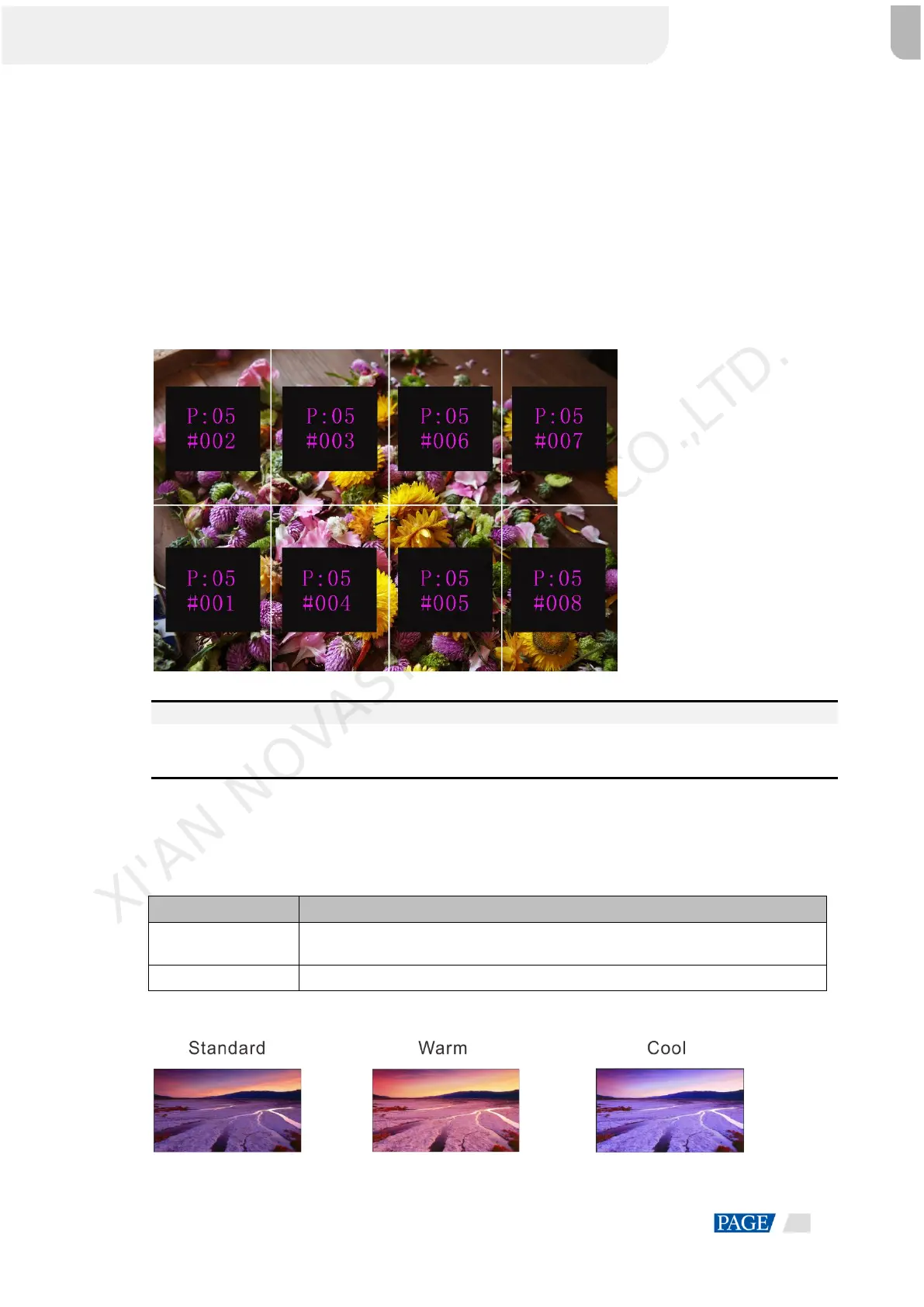
You can turn on this function to display the sequence numbers of Ethernet ports and cabinets.
Figure 5-7 Mapping
Example: "P:05" stands for the Ethernet port number and "#001" stands for the cabinet number.
Note:
The receiving cards of the screen must support the Mapping function. You can check the types of receiving
cards on NovaStar’s official website (www.novastar.tech).
LED Screen Color
You can adjust the screen color and the adjustment result will be displayed on the LED screen in real time.
Table 5-1 Screen color parameters
You can set the color to Standard, Cool, Warm and Custom. Custom allows you
to adjust the values for R, G and B individually.
The range is 1.0–4.0 and the stepping is 0.1.
Figure 5-8 Color temperatures
XI'AN NOVASTAR TECH CO.,LTD.



 To Next Page